How to Choose the Best Projector for Watching Sports? (The 2026 Guide)
September 14, 2026
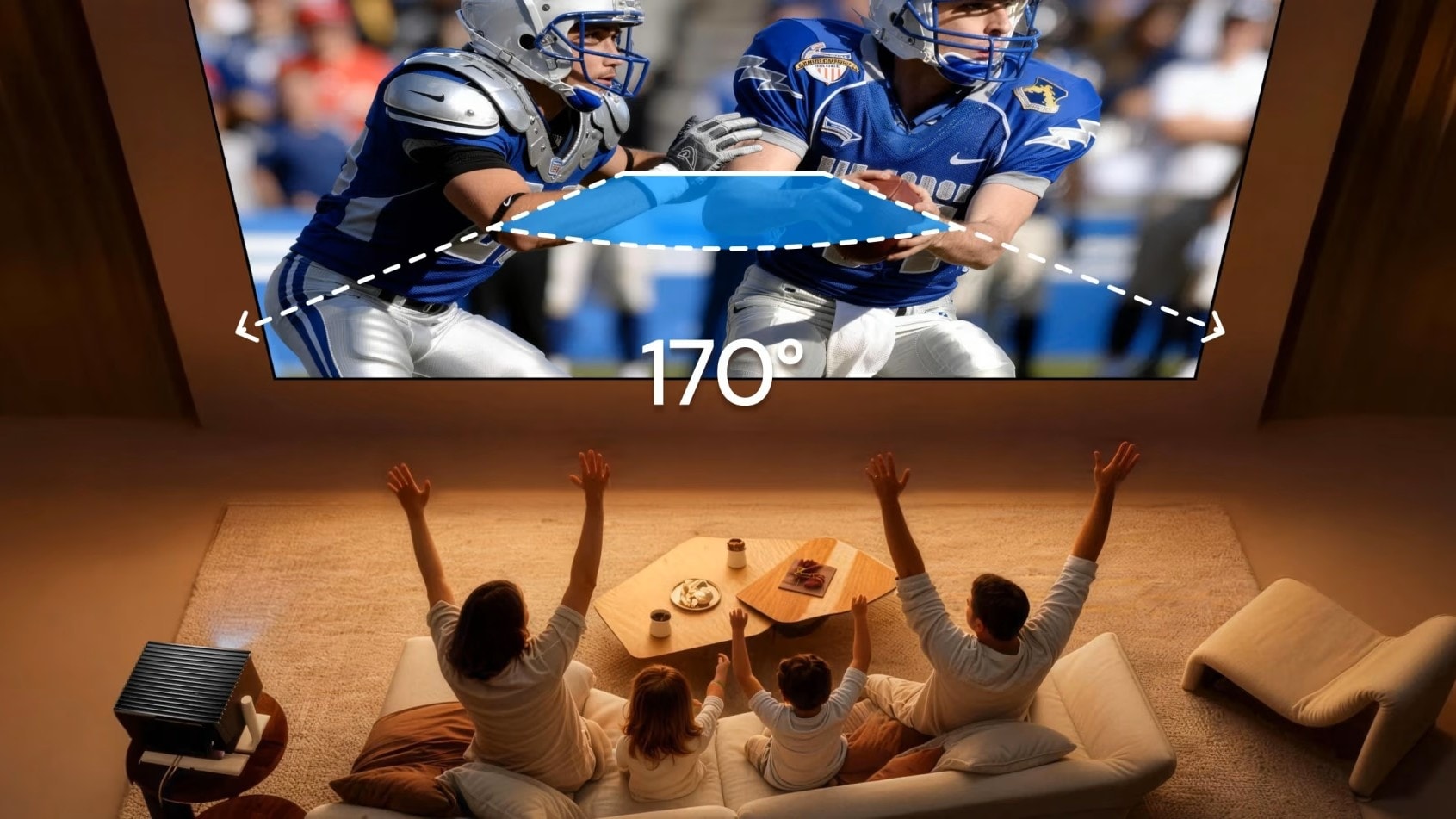
Nothing kills the excitement of an NFL game or a Premier League match faster than a blurry, washed-out screen. When a fast pass looks like a smear on the wall, you know you have the wrong setup.
Many fans assume buying a bigger TV is the answer, but the "price per inch" for a 100-inch TV is astronomical. The real solution? A high-performance sports projector. However, not all projectors are built for the speed and lighting conditions of live sports.
This guide covers the key specs—refresh rate, brightness, and screen type—that will make or break your game day hosting experience.
What Specs Make a Projector Good for Sports?
To clarify, you need to look for "The Holy Trinity" of sports projection specs:
- High Refresh Rate: To keep fast motion fluid.
- High Brightness (ANSI): To combat ambient light during day games.
- Color Accuracy: To ensure the turf looks green, not neon yellow.
Specifically, a top-tier sports projector should target a 120Hz+ refresh rate and 2,000+ ANSI Lumens. If you ignore these numbers, you risk missing the details of the play, especially in a living room with windows.
Why is High Refresh Rate Critical for Watching Sports?
Standard projectors (60Hz) are fine for slow-paced movies, but they fail during fast action. This causes Motion Blur—where the ball or puck disappears into a ghosting trail.
To check if a projector is "sports-ready," use the "Ball Test." When a quarterback throws a long pass or a striker kicks the ball, does it remain a sharp, defined circle, or does it look like a blurry streak? If it blurs, the projector cannot keep up with the action. This is why 120Hz is the new standard for sports enthusiasts.
How Does Motion Smoothing (MEMC) Improve the Experience?
Refresh rate is only half the battle. The best projectors use MEMC (Motion Estimation, Motion Compensation) technology.
MEMC artificially adds frames between the original shots to smooth out the jitter. When this feature is active, fast pans across the field look buttery smooth. For the ultimate experience, look for a projector that combines MEMC with a native 120Hz (or higher) refresh rate. This ensures that every tackle and goal is rendered with razor-sharp clarity.
How Many Lumens Do You Need for Daytime Viewing?
Unlike movie nights, sports are often social events watched during the afternoon with pizza, beer, and—crucially—ambient light.
Ignore "Lux" or "LED Lumens." These are marketing gimmicks. Always look for ANSI Lumens.
- Dark Room / Man Cave: 2,000 ANSI Lumens is sufficient.
- Living Room (Daytime/Lights On): You need 3,000+ ANSI Lumens.
If you use a dim projector (under 2,000 ANSI) in a bright room, the image will look "ghostly" and washed out. For the best "stadium feel" at home, brightness is non-negotiable.
4K vs. 1080p: Which is the Best Resolution for Live Games?
While 1080p is acceptable for screens under 80 inches, sports fans typically want massive 100-inch to 150-inch images. At this size, 1080p starts to lose detail, making player jersey numbers hard to read.
4K is the gold standard for large screens. However, there is a catch: many broadcast signals are still 1080i or 720p. This is why you need a projector with Superior AI Upscaling.
A prime example is the AWOL Valerion Max. It doesn't just project 4K; it uses AI to upscale lower-resolution broadcast signals, ensuring that a standard cable feed looks crisp and detailed even at 300 inches. This "upscaling" capability is what separates high-end projectors from budget ones.
Do You Actually Need an ALR Screen for Sports?
Yes, absolutely—especially if you have windows. Imagine hosting a Super Bowl party at 3 PM. Sunlight is hitting your screen, and suddenly, the image vanishes behind the glare.
The solution is an ALR (Ambient Light Rejecting) Screen. Unlike a standard white cloth, an ALR screen uses special optical layers to reflect the projector's light back to your eyes while "rejecting" the sunlight coming from the side or overhead. Brands like Valerion offer ALR screens that can reject up to 85% of ambient light, saving your viewing party from being ruined by the sun.
What Are the Top Projectors for Watching Sports in 2026?
Here is how to choose the right category for your needs:
- For Daytime Living Rooms: Look for a model with 3,000+ ANSI Lumens and high contrast. The priority here is fighting glare.
- For Ultimate Performance: Look for 4K Laser Projectors with 120Hz-240Hz refresh rates and MEMC. This handles fast motion perfectly and doubles as a beast for gaming. The AWOL Valerion Max is a standout in this category, offering professional-grade motion handling and brightness.
- The Budget-Friendly Option: Look for a bright 1080p model (2,000+ Lumens) that specifically includes a "Sports Mode" for color balancing.
Conclusion
Choosing the best projector for watching sports comes down to three factors: Speed (120Hz+), Brightness (3000+ ANSI Lumens), and Size (4K Upscaling).
Don't let a blurry image ruin the game. Invest in a projector that uses ANSI lumens for verified brightness and offers MEMC to keep the action sharp. If you are ready to upgrade your setup to a stadium-level experience, checking out the AWOL Valerion series is a great place to start.
Reference:
American National Standards Institute. (n.d.). American National Standards Institute. https://www.ansi.org/
Member Benefits
Bring Your Cinema Experience Further
Subscribe and receive a $50 Welcome Benefit plus 4 pairs of 3D glasses, along with exclusive Valerion updates.

Points & Rewards

Member Pricing

Early Access

Priority Support
Discover More Insights