Best Projector Settings for Racing Games: Reduce Input Lag and Maximize Immersion
August 6, 2026
Best Projector Settings for Racing Games: Reduce Input Lag and Create a More Immersive Racing Experience
If you’re racing on a PS5, Xbox Series X, or a powerful PC sim racing setup, your projector may still be configured with movie viewing as the priority. While those default settings can look great for films, they are not always ideal for fast-paced racing games.Most projectors are designed with cinematic features enabled out of the box. Technologies such as motion smoothing, frame interpolation, and image enhancement are useful for movies because they improve visual smoothness and clarity. However, in racing games, these same features can introduce additional processing time and make controls feel less responsive.You may notice subtle issues such as:
- Delayed steering response
- Slower braking reactions
- Less precise cornering
- A less connected feeling between your controller or racing wheel and the screen
The good news is that many of these problems can be improved through proper projector calibration. By adjusting gaming modes, disabling unnecessary processing, optimizing HDR settings, and enabling the right HDMI features, you can significantly improve both responsiveness and image quality.However, settings can only optimize the performance your projector hardware already provides. If a projector has limitations in processing speed, refresh rate, or input latency, software adjustments cannot completely remove those hardware restrictions.
Why Racing Games Need Different Projector Settings Than Movies
A projector setup that delivers an excellent movie experience may not provide the best gaming performance.The main reason comes down to the difference between response time and input lag.Response time refers to how quickly individual pixels change from one color to another. Input lag, on the other hand, measures the delay between pressing a button on your controller or steering wheel and seeing that action appear on screen.A projector can have fast display technology but still feel slow if its internal processor performs too much image processing before displaying each frame.This is especially important in racing games because every action happens in real time. When you approach a corner at high speed, your reaction depends on exactly what you see on screen at that moment.Features like frame interpolation are designed to improve movies by generating additional frames between original images. While this can create smoother-looking video, it can negatively affect gaming because those extra calculations introduce delay.A movie viewer may not notice whether a frame was created by the projector processor. A racing player will immediately feel the difference when steering, braking, or accelerating.Before changing settings, it is useful to test your projector’s current input lag. Having a baseline measurement makes it easier to understand how much improvement your adjustments provide.
Projector Settings That Help Reduce Input Lag
Enable Game Mode First
The first step in optimizing a projector for racing games is enabling Game Mode.Game Mode reduces unnecessary image processing and prioritizes a faster signal path between your console, PC, and projector. This allows the image to appear on screen with less delay.Depending on the projector model, this feature may also be called:
- PC Mode
- Low Latency Mode
- Gaming Mode
- Racing Mode
Although the names vary, the purpose is the same: minimize processing and improve responsiveness.For racing games, Game Mode should always be the starting point before adjusting other image settings.
Disable Motion Processing Features
After enabling Game Mode, review your projector’s picture settings and turn off features designed for cinematic enhancement.
MEMC and Motion Smoothing
MEMC (Motion Estimation, Motion Compensation), also known as Motion Smoothing or Frame Interpolation, creates additional frames to make video appear smoother.For movies, this can improve perceived motion quality.For racing games, however, generating additional frames requires extra processing time.For lower latency gameplay:
- Disable MEMC
- Disable Frame Interpolation
- Disable Motion Smoothing
This allows the projector to display the original game frames with less processing delay.
Turn Off Noise Reduction
Noise reduction is useful when watching compressed streaming content, but it provides little benefit for gaming signals.When connected to a console or gaming PC, noise reduction can add unnecessary processing without improving the image.For racing games, disable:
- Noise Reduction
- MPEG Noise Reduction
- Additional Image Enhancement Processing
A cleaner signal path usually results in faster response.
Avoid Digital Keystone Correction When Possible
Digital Keystone correction is one of the most commonly overlooked settings affecting gaming performance.While it makes projector placement easier by digitally reshaping the image, it requires the processor to continuously recalculate image geometry.Because this adjustment happens during image processing, it can increase latency.For the best racing experience, use optical solutions whenever possible:
- Optical Lens Shift
- Optical Zoom
- Physical projector alignment
Optical adjustments move the lens or projector position rather than changing the image digitally, helping maintain better image quality and lower latency.
Optimize HDR and Color Settings for Racing Games
After reducing input lag, the next step is improving image quality.Racing games rely heavily on realistic lighting, accurate colors, and strong contrast. From bright sunlight reflecting off a track surface to dark cockpit interiors during night races, proper HDR calibration can make a significant difference.Some users disable HDR because projectors handle brightness differently from televisions. However, when configured correctly, HDR can greatly improve:
- Lighting realism
- Shadow detail
- Track textures
- Environmental depth
The goal is not simply maximum brightness. The goal is maintaining a balance between bright highlights and visible dark areas.
Enable HDR and Use Dynamic Tone Mapping
If your projector supports HDR, it is generally recommended to keep it enabled for racing games.HDR improves scenes containing both bright and dark elements, including:
- Sun glare
- Headlights
- Wet racing surfaces
- Dark vehicle interiors
A projector with effective Dynamic Tone Mapping can automatically adjust HDR brightness levels depending on the scene.This helps prevent common HDR problems:
- Highlights becoming overexposed
- Shadows losing detail
- Cockpit areas becoming too dark
Proper HDR adjustment allows you to see more information throughout the entire race environment.
Choose the Right Gamma Setting
Gamma has a major impact on visibility, especially in racing games.The ideal setting depends on your room environment.
Living Room With Ambient Lighting
For rooms with moderate ambient light, a gamma setting around 2.2 often provides better shadow visibility.This helps maintain detail in darker areas such as:
- Track edges
- Vehicle interiors
- Night racing environments
Dark Racing Room Setup
For a dedicated simulator room with controlled lighting, a gamma setting around 2.4 can provide:
- Deeper contrast
- Richer blacks
- More realistic textures
A darker environment allows the projector to create stronger contrast without hiding important details.
Avoid Oversaturated Picture Modes
Many projectors include bright display modes designed to create an impressive showroom effect.Examples include:
- Vivid Mode
- Dynamic Mode
- Enhanced Color Mode
While these modes may look attractive at first glance, they often exaggerate:
- Color saturation
- Brightness
- Color temperature
For racing games, excessive enhancement can make the image less realistic.A more accurate picture mode closer to the D65 white point usually provides:
- More natural colors
- Better track realism
- Improved visual judgment
The best racing display is not always the brightest one—it is the one that helps you accurately judge speed, distance, and track conditions.
HDMI 2.1 Settings for Racing Games
Modern racing games increasingly rely on high refresh rates and advanced gaming features. If you are using a PS5, Xbox Series X, or a high-performance gaming PC, making sure your HDMI connection is properly configured is essential for getting the best projector gaming experience.Having an HDMI 2.1 port does not automatically guarantee maximum performance. Every part of the connection chain needs to support the required bandwidth, including:
- Gaming console or PC
- HDMI cable
- Projector HDMI port
- Projector input settings
For high-refresh gaming, check that your projector HDMI input is configured correctly. Depending on the model, this option may appear as:
- Enhanced Mode
- HDMI 2.1 Mode
- Full Bandwidth Mode
Using the correct HDMI setting ensures that your projector can properly handle high-resolution and high-frame-rate signals.
Enable 120Hz or Higher Refresh Rates
Refresh rate plays a major role in racing games because smooth motion directly affects control and visual feedback.Higher refresh rates can improve:
- Motion clarity
- Steering response
- Fast camera movement
- Overall gameplay smoothness
Supported systems include:
- PS5 with up to 120Hz output
- Xbox Series X with up to 120Hz output
- Gaming PCs capable of higher refresh rates
When choosing between extra visual effects and smoother performance, racing games usually benefit more from stable frame rates.For competitive driving, a consistent high-refresh experience often provides a greater advantage than maximum graphical settings.
Enable VRR (Variable Refresh Rate)
Variable Refresh Rate synchronizes the projector refresh rate with the actual frame output from your console or graphics card.This helps reduce:
- Screen tearing
- Stuttering
- Uneven motion
VRR is especially useful during demanding racing scenarios, such as:
- Heavy rain conditions
- Multiple-car battles
- Complex track environments
When frame rates fluctuate, VRR helps maintain a smoother and more consistent image.
Enable ALLM (Auto Low Latency Mode)
Auto Low Latency Mode automatically detects when a gaming signal is active and switches the projector into its fastest response mode.This feature is especially useful for users who frequently switch between:
- Movies
- Streaming content
- Gaming
Instead of manually changing picture settings every time you start a race, ALLM helps ensure your projector automatically prioritizes responsiveness.Together, HDMI 2.1 features such as:
- High refresh rates
- VRR
- ALLM
- Increased bandwidth
help create a smoother and more responsive racing experience.
Best Projector Settings for Popular Racing Games
Different racing games handle HDR, frame rate, and visual effects differently. While there is no single setup that works perfectly for every title, adjusting settings based on each game can improve both performance and image quality.
Gran Turismo 7 (PS5)
Gran Turismo 7 offers impressive visual effects, but racing performance should remain the priority.Recommended settings:
- Use Frame Rate Mode when available
- Enable 120Hz output
- Prioritize smooth motion over Ray Tracing effects
Ray Tracing can improve reflections and visual details, but smooth frame delivery has a greater impact when you are trying to hit precise braking points and maintain racing lines.For competitive driving, responsiveness usually matters more than additional graphical effects.
Forza Motorsport (Xbox and PC)
Forza Motorsport features advanced HDR visuals, but default settings may not always be optimized for projector displays.Recommended adjustments:
- Use the in-game HDR calibration tool
- Adjust black levels carefully
- Match peak brightness to your projector capability
Projectors and televisions handle HDR differently, so relying only on default settings may result in:
- Overly bright highlights
- Lost shadow detail
- Reduced image depth
Proper calibration helps maintain realistic lighting and clearer track visibility.
F1 Series
Formula racing games feature extremely fast camera movement, making motion settings especially important.Recommended settings:
- Disable motion smoothing
- Enable VRR if supported
- Maintain stable frame rates
High-speed sections such as:
- Long straights
- Fast corners
- Chicanes
can reveal motion artifacts if additional processing is enabled.A clean, low-latency signal helps keep the experience sharp and responsive.
Assetto Corsa Competizione
Assetto Corsa Competizione is known for realistic physics and demanding lighting conditions.For endurance and night races, focus on improving visibility.Recommended adjustments:
- Increase contrast carefully
- Optimize black-level settings
- Preserve shadow detail
Night racing requires the ability to identify:
- Track boundaries
- Racing lines
- Other vehicles
before they become difficult to react to.
iRacing (PC)
For iRacing, projector setup is just as important as image settings.Recommended adjustments:
- Calculate the correct field of view
- Match screen size with seating distance
- Keep frame rates stable
A consistent frame rate is often better than pushing maximum performance and creating occasional stutters.For simulation racing, stability and accuracy are more important than simply maximizing graphics settings.
How to Build a Projector Sim Racing Setup
One of the biggest advantages of using a projector for racing simulation is scale.Compared with traditional monitors or ultrawide displays, a projector can create a much larger image that fills more of your peripheral vision.A screen size above 100 inches can make the track environment feel significantly closer to a real cockpit experience.A large-format projector setup can improve immersion by helping you judge:
- Distance to other cars
- Corner approach speed
- Track position
- Racing lines
However, a larger image alone does not guarantee a realistic simulator experience. Proper setup is equally important.
Calculate the Correct Field of View
Field of view (FOV) is one of the most important settings in racing simulation.An incorrect FOV can make the game world feel unnatural and affect your judgment of:
- Corner distances
- Vehicle positioning
- Track width
To optimize FOV:
- Measure your seating distance from the screen.
- Measure the visible screen width.
- Adjust the in-game FOV settings accordingly.
- Fine-tune your seating position and image size.
The goal is to create a viewing angle that feels similar to sitting inside a real racing cockpit.
Optimize Projector Placement
Projector positioning has a major impact on both image quality and usability.For a racing simulator setup:
- Mount the projector securely
- Keep it aligned with the screen
- Avoid locations where your body or equipment can block the image
- Use optical adjustments whenever possible
Poor placement can lead to:
- Shadows on the screen
- Image distortion
- Reduced sharpness
- Increased reliance on digital correction
A properly positioned projector creates a cleaner and more immersive racing environment.
Build a True Racing Experience, Not Just a Bigger Screen
The advantage of a projector-based racing setup is not only the larger image.The strongest experience comes from combining:
- Correct field of view
- Proper screen positioning
- Low input latency
- Accurate image calibration
- Large-scale immersion
When these elements work together, a projector becomes more than a display—it becomes the foundation of a realistic racing simulator.
When Projector Settings Are Not Enough: Choosing Hardware Built for Racing
Optimizing projector settings can significantly improve your racing experience, but software adjustments have limits.If you have already:
- Enabled Game Mode
- Disabled unnecessary image processing
- Adjusted HDR settings
- Optimized gamma and color performance
- Enabled HDMI 2.1 gaming features
and the projector still feels slow or unresponsive, the limitation may come from the hardware itself.A projector designed specifically for gaming and high-performance entertainment can provide advantages that settings alone cannot create.Important hardware factors for racing projectors include:
- Input latency
- Processing speed
- Refresh rate support
- HDMI bandwidth
- Optical adjustment capability
- Black-level performance
- Motion handling
For racing enthusiasts, these details determine whether a projector simply displays a game or truly becomes part of an immersive simulator experience.
Why a Gaming-Focused Projector Makes a Difference
A standard projector can display racing games, but a projector designed with gaming performance in mind provides a more refined experience.The difference appears in areas such as:
- Faster response during steering adjustments
- Smoother motion during high-speed racing
- Better visibility in dark environments
- More accurate image alignment
- Greater immersion at large screen sizes
When you are racing at high speeds, small delays or unclear details can affect your ability to react.The goal is not only to create a larger image—it is to create a display that responds naturally to your actions.
Why Valerion Projectors Are Built for Immersive Gaming
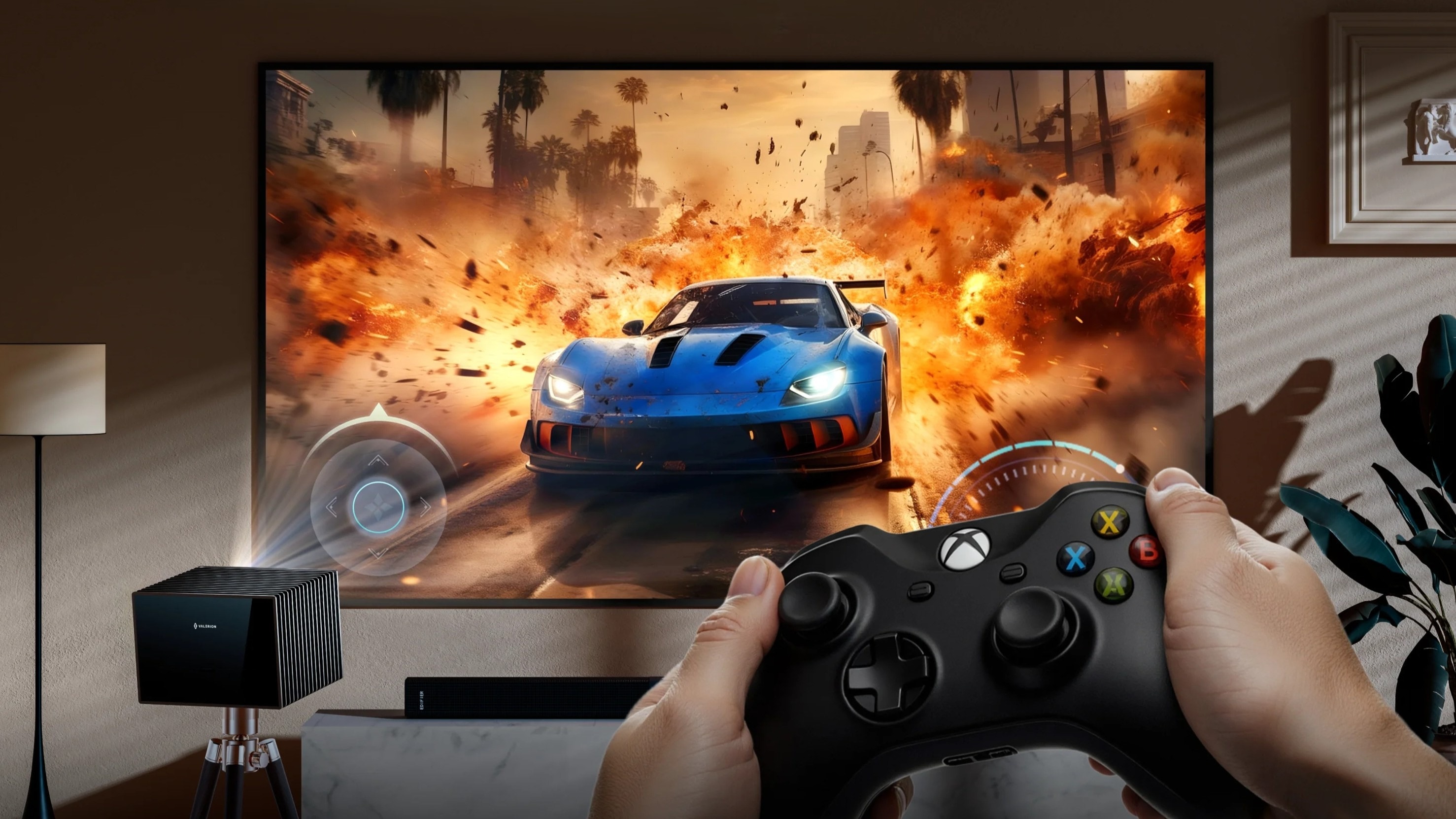
The Valerion VisionMaster series represents a new generation of large-format projection designed for both home entertainment and immersive gaming experiences.Unlike traditional projectors that focus mainly on movie viewing, modern gaming projectors need to balance:
- Large-scale visuals
- Low latency performance
- Accurate image quality
- Flexible installation
Valerion’s approach combines advanced projection technology with features designed to support responsive gameplay.
Optical Lens Adjustment for Better Gaming Alignment
One challenge in projector-based racing setups is achieving perfect screen alignment without relying on digital image correction.The OpticFlex lens system allows users to make optical adjustments for image positioning and alignment.Compared with digital correction methods, optical adjustment helps maintain:
- Better image quality
- Higher sharpness
- Lower processing requirements
For racing simulator setups, this is especially valuable because avoiding unnecessary digital processing can help preserve responsiveness.
Advanced Processing for Faster Gameplay
A responsive gaming experience depends heavily on the projector’s internal processing capability.The Valerion VisionMaster series uses advanced processing hardware designed to reduce unnecessary delays and improve overall performance.Combined with gaming-focused modes, this helps deliver:
- Faster response
- Smoother gameplay
- More consistent image performance
For racing games where timing matters, a responsive display allows players to focus on driving instead of adjusting around display limitations.
Improved Black Levels for Night Racing
Night races are one of the biggest challenges for projection systems.Dark environments require strong contrast performance to maintain visibility of:
- Track boundaries
- Racing lines
- Other vehicles
- Road details
Poor black levels can make nighttime driving feel flat or unclear.Advanced black-level enhancement technologies help preserve more detail in darker scenes, allowing players to better understand the racing environment.
The Difference Between Adapting a Projector and Using One Designed for Racing
Many projectors can be adjusted to work for gaming.However, a projector designed around gaming performance provides advantages from the beginning.The difference can be seen in:
- Lower latency
- Better motion handling
- More accurate image positioning
- Stronger HDR performance
- Improved large-screen immersion
For racing enthusiasts, the best setup is not simply the biggest screen possible. It is a system where image quality, responsiveness, and immersion work together.
FAQs
Why Does My Gaming Projector Feel Laggy During Racing Games?
Many projectors are configured for cinematic viewing by default.Features such as:
- Motion smoothing
- Frame interpolation
- Noise reduction
- Image enhancement
can improve movies but may introduce additional processing delay during gaming.To reduce input lag:
- Enable Game Mode
- Disable motion processing
- Turn off unnecessary image enhancement
- Use a direct HDMI connection
These adjustments can significantly improve responsiveness.
Should I Use HDR for Racing Games on a Projector?
Yes.HDR can improve racing games by creating more realistic lighting and contrast.It enhances details such as:
- Sun reflections
- Headlights
- Wet roads
- Dark cockpit areas
However, HDR works best when properly calibrated.Recommended adjustments include:
- Enable Dynamic Tone Mapping if available
- Adjust gamma based on room lighting
- Balance brightness and contrast
- Avoid overly aggressive color presets
A properly calibrated HDR projector can provide a much more realistic racing experience.
Does Digital Keystone Correction Add Input Lag?
Yes.Digital Keystone correction changes the image through software processing. Because the projector needs to calculate these adjustments for each frame, it can introduce additional delay.For gaming and racing simulator setups, optical solutions are preferred:
- Optical Lens Shift
- Optical Zoom
- Physical projector placement
These methods adjust the image without adding the same level of processing overhead.
What Are the Best Projector Settings for Racing Games?
A good starting point includes:
- Enable Game Mode
- Disable MEMC and motion smoothing
- Turn off noise reduction
- Enable HDR
- Enable VRR when available
- Use HDMI 2.1 settings for high-refresh gaming
- Adjust gamma based on your environment
- Avoid oversaturated picture modes
The ideal settings may vary depending on your projector model, console, gaming PC, and room conditions.
Can a Projector Replace a Monitor for Sim Racing?
For many racing enthusiasts, yes.A projector offers advantages that traditional monitors cannot easily match:
- Extremely large image sizes
- Stronger peripheral immersion
- Flexible installation
- Cinema-like racing environments
Competitive esports players may still prefer specialized gaming monitors for the absolute lowest latency, but projector-based setups provide an unmatched sense of scale for immersive racing.
Final Thoughts: Transform Your Projector Into a Racing Machine
A great racing setup is about more than purchasing powerful hardware.The best experience comes from optimizing every part of the system:
- Low-latency projector settings
- Proper HDR calibration
- HDMI 2.1 features
- Correct field of view
- Appropriate projector placement
- Gaming-focused hardware
Modern laser projectors have moved far beyond the limitations of older models. With the right configuration, they can deliver the combination of:
- Large-scale immersion
- Responsive gameplay
- Realistic visuals
- Flexible home installation
For racing enthusiasts who want to feel closer to the track rather than simply watch it, a properly configured projector can transform everyday gaming into a truly immersive driving experience.
Discover More Insights