Cleaning projector screens or removing wrinkles is not a big hassle. Necessary tools for the job would remove unnecessary hassle. How to clean your projector screen depends on the type of screen you have. Some screens have grooves that require extra care, whereas a simple white screen doesn’t. Whether you have an ALR projector screen or a portable screen, cleaning and removing wrinkles require similar tools. The first step is to identify your screen type.
Identify Your Projector Screen Type Prior to Cleaning It
Different home theater screens feature highly specialized materials. Identifying your screen type ensures you clean it effectively without ruining its reflective properties.
Matte White Vinyl Screens
- Signs: These screens have a smooth, neutral, matte-white surface, typically backed by black PVC.
- Test: Matte white screens reflect light evenly in all directions. When the room is pitch black, the image boasts excellent contrast. However, because it reflects light so evenly, the presence of any ambient room light will quickly wash the image out.
ALR (Ambient Light Rejecting) Screens
- Signs: These screens are usually dark gray or black and are not entirely smooth to the touch.
- Test: If you look closely (or use a magnifying glass), you will see microscopic grooves, textures, or angular patterns. ALR screens reject off-axis light, meaning the projected image will look incredibly vibrant from the center seating area but will visibly dim if you view it from a sharp side angle.
Acoustically Transparent Screens
- Signs: Often black or white with a woven texture, these screens are designed to let sound pass through them from speakers hidden behind the display.
- Test: They feature tiny, deliberate perforations and feel a bit like a speaker mesh. If you shine a flashlight directly at the screen, you will easily see the light passing through to the other side.
Outdoor or Portable Screens
- Signs: These screens feel like standard PVC or lightweight vinyl and are usually paired with collapsible aluminum stands.
- Test: They often feature a high "gain" (higher than 1.0), meaning they naturally boost the brightness of the image to combat outdoor lighting conditions.
What NOT to Do When Cleaning a Projection Surface
Improper cleaning techniques will permanently ruin your screen's optical coating. Often, you won't even realize the damage is done until you turn the projector on and notice a shiny, distorted blotch. Avoid these common mistakes:
- Do not use ammonia-based glass cleaners (like Windex).
- Avoid alcohol, bleach, or harsh chemical solvents.
- Never scrub with paper towels; wood pulp will scratch the coating.
- Never use hard tap water, which leaves behind mineral deposits.
- Never spray liquids directly onto the screen.
- Do not apply direct steam or excessive, dripping water.
- Avoid circular scrubbing motions; always use straight, light strokes.
- Never roll up or store your screen while it is still damp.
Tools You Will Need to Clean Movie Screen
To safely maintain your home theater screen, gather these essential, non-abrasive tools:
- Clean microfiber cloths (at least two)
- Distilled water
- Mild, pH-neutral dish soap
- Compressed air (optional)
- A clean spray bottle
Step-by-Step Guide to Safely Cleaning Your Projector Screen
Follow these steps closely to restore your screen’s brightness without compromising its texture.
Step 1: Remove Surface Dust
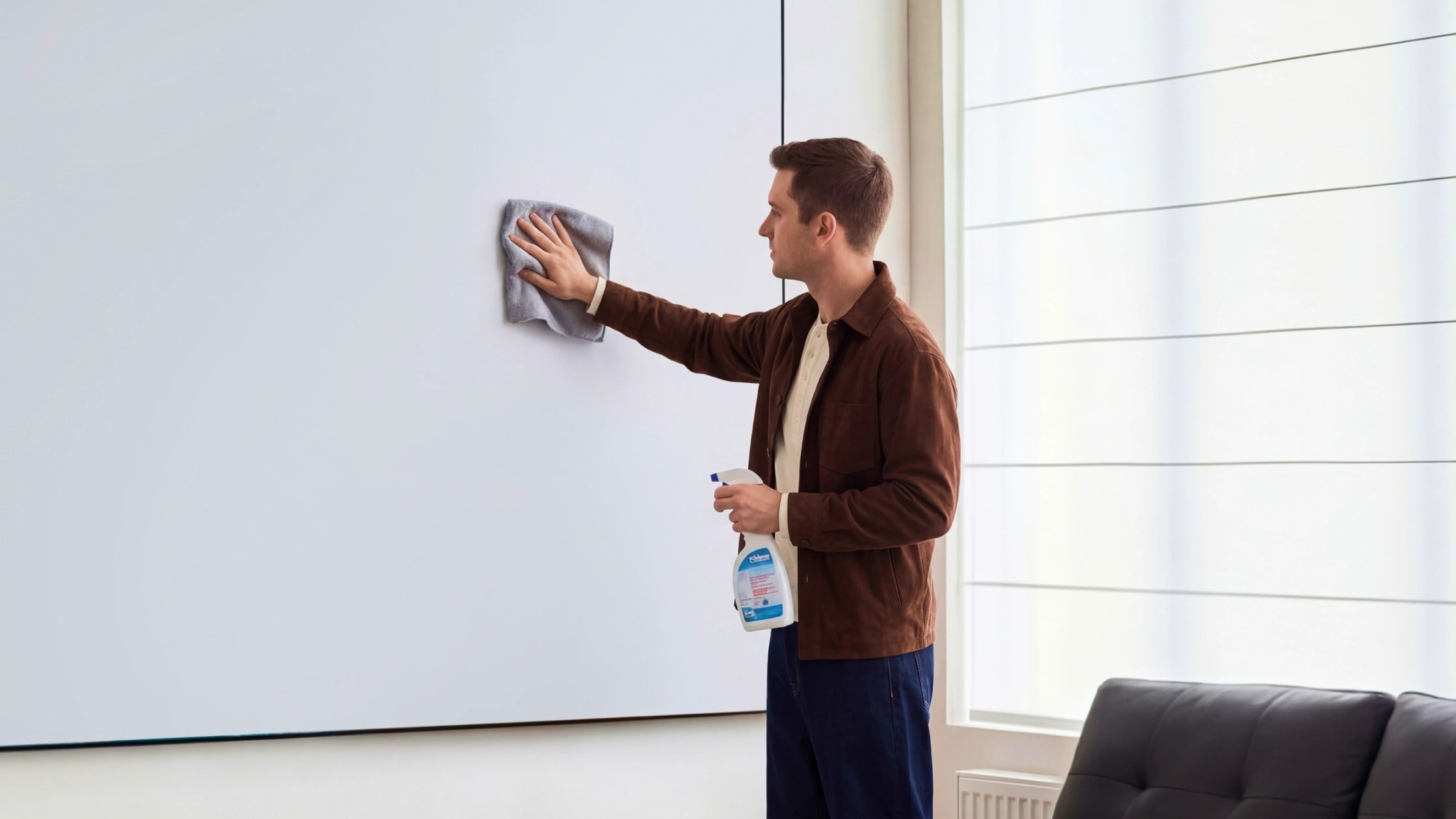
Use a can of compressed air to blow away loose dust. Keep the nozzle moving and do not use high pressure on a single spot. Next, take a dry microfiber cloth and gently sweep away any remaining dirt using light, straight strokes. Do not press hard.
Step 2: Spot Clean Stains and Fingerprints
Mix a solution of 95% distilled water and 5% mild dish soap inside your spray bottle.
Lightly mist your first microfiber cloth, do not soak it. Gently dab at the stain. If you have an ALR screen with visible grooves, wipe parallel to the pattern to avoid pushing dirt deeper into the ridges. Immediately dry the area using your second, dry microfiber cloth.
Step 3: Air Dry Completely
Before retracting your screen or putting it away, ensure 100% of the moisture has evaporated. Keep the projector off and let the screen air dry in a well-ventilated room.
How to Get Wrinkles Out of a Projector Screen
Wrinkles are usually caused by long-term storage or improper rolling. Fortunately, a little patience usually fixes the problem.
For Fixed-Frame Screens
If a fixed screen has sagged after months in storage, you need to re-tension it. Use your frame's tensioning pegs or springs, always starting from the center of the frame and working your way out to the corners. Avoid over-stretching, which causes permanent warping. Let the screen acclimatize in a warm room for 24 to 48 hours to help the material relax.
For Pull-Down and Motorized Screens
- Motorized Screens: Locate the tension adjustment screws (refer to your manufacturer's manual). Insert an Allen key and slowly turn the screw to increase or decrease the tension on the roller.
- Manual Pull-Down Screens: Simply leave the screen pulled down in a warm room for 48 hours to let gravity and ambient heat soften the material and pull the wrinkles out.
- A note of caution on weights: Some DIY guides suggest inserting physical weights into the hollow bottom bar of a pull-down screen. Do this with extreme caution. Adding unauthorized weight can easily snap the internal spring-roller mechanism or void your manufacturer's warranty.
Can You Use a Hair Dryer or Iron on Projector Screen?
If you must use a hair dryer to relax a stubborn wrinkle, use the lowest heat setting possible. Keep the nozzle at least 8 to 12 inches away from the surface and keep it moving constantly.
Never use a clothes iron or a fabric steamer. Direct, high heat and steam will instantly melt or warp the delicate vinyl and ruin the screen.
How Often Should You Clean Your Projector Screen?
When it comes to delicate optical surfaces, less is more.
- Routine Dusting: Every 1 to 2 months using a dry microfiber cloth.
- Wet Cleaning: Only strictly necessary when visible stains or fingerprints appear.
- Outdoor Screens: Give them a gentle wipe-down and inspect for bugs or sap after every single use before rolling them up.
What are the Signs Your Movie Screen Needs Replacement
Projector screens are designed to last for years, but improper care can shorten their lifespan. No amount of cleaning will fix the screen if you notice:
- Permanent yellowish discoloration
- A physically warped or bent frame
- Shiny, stripped spots where the optical coating has been rubbed off
- Highly uneven reflectivity or severe "hot spotting"
Upgrading to a modern optical screen designed for high-brightness laser projectors can significantly improve your setup's contrast and clarity.
Frequently Asked Questions
Can I use paper towels to clean a projector screen?
No. Paper towels are made from wood pulp. Even when wet, they are abrasive enough to leave microscopic scratches on your screen's optical coating. Always use microfiber.
Can I use alcohol wipes?
Absolutely not. Alcohol and heavy solvents will chemically strip the optical coating right off the vinyl, leaving behind permanent, shiny streaks that will reflect glare from your projector.
Can I use a wet cloth and an iron to remove wrinkles?
No. Even with a buffer cloth, the intense heat and friction of an iron will warp the vinyl and destroy the screen's tension.
How do I clean mold or mildew off my screen?
Blow away loose spores with compressed air (ideally outdoors). Lightly dampen a microfiber cloth with a 95% distilled water and 5% soap solution. Gently dab the mold away, then immediately wipe the area dry with a fresh cloth to prevent the moisture from feeding the mildew.
Does cleaning a screen actually improve image quality?
Yes. Dust and grime can easily get trapped in the micro-patterns of ALR and Matte screens, scattering the light. Removing this dirt ensures the light reflects back to your eyes properly, restoring brightness and contrast.
Conclusion
Learning how to clean a movie screen isn’t something arduous. It's that projector screens are delicate optical surfaces. They require gentle cleaning with a soap and water mixture and a microfiber cloth to preserve brightness and contrast. But overcleaning could cause more damage to the movie screen than dust. It is not recommended to use DIY methods, such as an iron or a cloth steamer, to clean or remove wrinkles from a projector screen. Adding appropriate tension using weights or adjusting the screw to the screen will remove wrinkles. We recommend checking out Valerion’s Blog, including guides like this, to help you build your own home theater.