Does your battlestation have to be confined to a desk? When using a projector as a monitor, you move beyond the traditional desktop setup. Older projectors suffered from high latency and required dark rooms to be usable.
Modern technology has changed the landscape. You can now project a screen up to 300 inches with plug-and-play ease, low latency, and high refresh rates. While these advancements mean a projector can replace monitors for cinematic and casual setups, traditional displays still hold value depending on your environment.
Projector vs Traditional Monitor: The New Era of Gaming
When deciding between a projector vs traditional monitor, you are choosing between two distinct gaming experiences. Here is a quick breakdown of how they compare:
- Best For: Gaming monitors are built for competitive esports and desk setups, whereas gaming projectors shine for cinematic games and couch co-op.
- Responsiveness: Monitors offer industry-leading speeds (1ms or less), while modern projectors provide very good latency for larger screens (under 15ms).
- Immersion: Monitors deliver high pixel density within a visually confined view, while projectors offer a massive sense of scale (up to 300 inches).
- Space Required: Monitors require minimal space and fit easily on a desk, whereas projectors require dedicated wall space and a specific throw distance.
- Audio: Monitors often rely on headsets or small desk speakers, while projectors almost always require a dedicated external audio system for the best experience.
The Desk-Bound Precision of Monitors
A gaming monitor delivers crisp visuals, unmatched response times, and consistent high refresh rates. However, you are tethered to a desk, locked into an ergonomic chair, and visually confined to a relatively small window into the game world.
The Life-Sized Immersion of Gaming Projectors
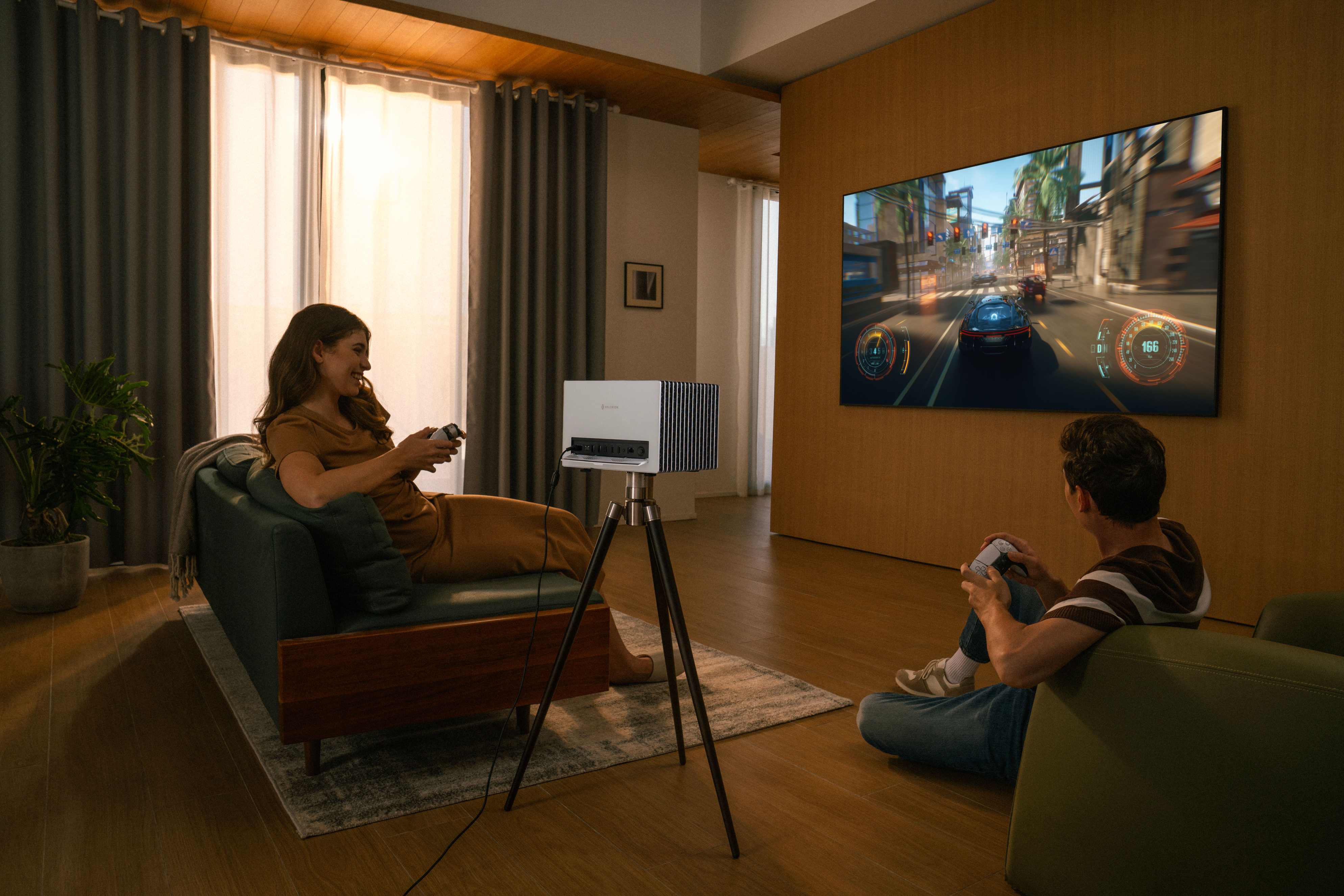
Imagine playing a visually stunning title like Cyberpunk 2077 on a massive display from the comfort of your couch. You get life-sized characters and an enveloping sense of scale. Modern projectors are also compact, and premium models feature lens shift, allowing you to place them off-center without distorting the image.
Is a Projector Good for Gaming? Debunking the Lag Myth
If you ask a veteran gamer, “Is a projector good for gaming?” they might recall older boardroom projectors plagued by heavy motion blur and 50ms+ input delays. Today, that stereotype is outdated.
Moving Past the Laggy Stereotype
Older, lamp-based projectors genuinely struggled with signal processing, making fast-paced genres unplayable. Today, modern projection technology incorporates Auto Low Latency Mode (ALLM) and faster processing chips. These features make modern projectors highly viable for gaming.
Engineered for Current-Gen Power
To ensure they keep pace with modern hardware, new projectors feature HDMI 2.1 ports. This provides the bandwidth necessary for Variable Refresh Rate (VRR), uncompressed 4K visuals, and lossless audio pass-through for modern consoles (PS5, Xbox Series X) and high-end PCs.
The Specs that Matter When Using a Projector as a Monitor
To effectively use a projector as a PC or console monitor, you need hardware that meets specific performance metrics.
Key specs to look for in a gaming projector:
- Input Lag: Aim for sub-15ms. While premium projectors claim latency as low as 4ms in specific modes, anything under 15ms ensures a snappy feel for most gamers.
- Refresh Rates: Look for 120Hz to 240Hz. Some modern projectors support up to 240Hz at 1080p, offering smooth motion tracking, though monitors still lead in absolute competitive responsiveness.
- Resolution: To replace a monitor, choose a projector that offers at least 1080p or 4K resolution, HDR support, and high-performance modes. For example, the Valerion VisionMaster Pro2 supports 4K at 60Hz for stunning clarity, or ultra-responsive 1080p at 240Hz with a class-leading 4ms latency to elevate your competitive gameplay.
- Advanced Gaming Chip: For gaming, Valerion uses AI-SoC MT9618 processing, customized gaming modes (RPG, FPS, RTS), and a built-in precision crosshair overlay for a distinct competitive edge. Make sure your projector is color-accurate and supports 110% Rec.2020 for a wide color gamut.
- Eye Comfort: Projectors rely on reflected light rather than light emitted directly into your eyes. This indirect light may feel less straining during long gaming sessions.
- Audio Quality: Built-in projector speakers are usually weak. To accurately hear enemy footsteps or experience Dolby Atmos, investing in a dedicated external surround-sound system or a high-quality headset is highly recommended.
Projector Screen Gaming: Why Bare Walls Ruin the Vibe
A high-end projector is only half of the equation; the surface you project onto is just as critical. Projecting onto a bare wall severely bottlenecks visual quality.
- The Problem with Bare Walls: Bare walls can not only ruin the visual contrast but also diminish brightness, making games look washed out. It is because a standard white wall scatters light unevenly. This hurts shadow detail, making it incredibly difficult to spot enemies in dark in-game environments.
- The ALR Screen Advantage: For the ultimate projector screen gaming setup, use an Ambient Light Rejecting (ALR) screen. ALR screens feature microstructures that direct light back to the viewer while rejecting ambient room light. This makes HDR game environments pop with vibrant colors and deep blacks, even with the lights on.
How to Set Up a Projector for Gaming
To get the most out of your setup, ensure your hardware is configured correctly.
- Connect properly: Use an HDMI 2.1 cable plugged into the HDMI 2.1 port on the projector.
- Optimize the surface: Use an ALR screen or strictly control the ambient light in the room.
- Enable Game Mode: Turn this on in the projector settings to strip away unnecessary image processing and reduce latency.
- Maximize refresh rates: Ensure your console or PC display settings are outputting the highest supported refresh rate.
Pro Tip: To further minimize input lag, manually turn off any extra image enhancement features (like motion smoothing or noise reduction) within the projector's menu.
FAQs About Using a Projector as a Monitor
Do I need a dark room for projector screen gaming?
Not necessarily. If you pair a high-brightness projector with an Ambient Light Rejecting (ALR) screen, you can comfortably play games with moderate ambient light in the room.
How big a screen can I get with a gaming projector?
Most modern projectors can project an image ranging from 40 inches up to 300 inches. This is limited only by your available wall space and the projector's throw distance.
Are projectors bad for your eyes when gaming for long hours?
Because you are viewing reflected light rather than direct light emitted from an LED/OLED panel, eye strain and fatigue are often reduced when using a projector.
Can I play competitive shooters on a projector?
Yes. Dedicated gaming modes drop input lag significantly, making games like Valorant or Counter-Strike 2 playable. However, hardcore competitive players will still prefer high-refresh-rate monitors for absolute precision.
Will a projector fix screen tearing?
No. Screen tearing is fixed by synchronizing your PC/console's frame rate with the display. To eliminate tearing, you need a projector and a gaming system that both support Variable Refresh Rate (VRR).
Conclusion
Choosing between a projector and a monitor ultimately depends on your gaming habits and room environment. Using a projector as a monitor can fully replace your traditional display if you prioritize cinematic immersion, couch co-op, and massive screen sizes up to 300 inches, like Valerion projectors.
Modern hardware boasts impressive refresh rates and low latency, closing the performance gap that once existed. However, to get the absolute best visual fidelity, avoid projecting onto bare walls and invest in a proper ALR screen. While desk-bound monitors remain the standard for high-level competitive esports, a well-optimized gaming projector setup delivers an unmatched, life-sized experience.