The upcoming 2026 international soccer tournament is shaping up to be a golden era for North American fans. With the matches hosted across the US, Canada, and Mexico, a massive chunk of the 104 matches will kick off in the afternoon or during prime-time evening hours.
Beyond the logistical convenience, this event carries a unique emotional weight: for many fans, it marks the likely final international tournament appearance for global icons like Lionel Messi and Cristiano Ronaldo. It is, quite literally, the closing of an era for the sport we love.
This favorable schedule and the historical significance of the tournament mean one thing: the ultimate soccer watch party is happening at your house.
But to truly replicate that electric, stadium-like atmosphere—or the immersive vibe of your favorite sports bar—putting a few folding chairs around a standard 65-inch living room TV just won't cut it. Sports bars feel immersive not because of the food, but because everyone is watching the same giant screen together. The difference between casually watching the game and truly feeling it often comes down to screen size, motion clarity, and atmosphere.
This massive 2026 tournament will probably be remembered for decades in North America. It deserves more than a tiny screen in the corner of the room. Here is your complete guide to the best 4K streaming options, why big screens matter, and the setup ideas you need to watch soccer’s grandest summer stage the way it was meant to be seen.
What You Actually Need to Stream the Tournament in 4K
Before we talk about screen size, we have to talk about the source. Getting high-quality 4K sports into your living room requires three foundational pieces.
1. A True 4K Streaming Source
Standard cable feeds are heavily compressed, often maxing out at 720p or 1080i. To get UHD resolution, you need the right streaming platforms:
- FOX One App: FOX holds the English-language rights in the US and is expected to stream the tournament's biggest matches in 4K via their direct-to-consumer app, similar to previous major tournaments.
- YouTube TV: If you prefer a full live TV bundle, YouTube TV carries the necessary channels, but you will likely need to add the "4K Plus" add-on to unlock the highest resolution feeds.
- Peacock & Tubi: Peacock is an excellent, cost-effective option for Spanish-language broadcasts. Meanwhile, Tubi is anticipated to offer select marquee matchups in 4K—a perfect way to test your setup.
2. A Rock-Solid Internet Connection
Don't let buffering ruin a 90th-minute game-winning goal. Streaming 4K HDR live sports requires a minimum of 25 Mbps, but realistically, you want a stable connection of 50+ Mbps dedicated to your streaming device. If your home network is crowded with other devices, hardwiring via Ethernet is always the safest bet.
3. A Real HDR Display
Live soccer is fundamentally different from watching a movie. Broadcast cameras constantly sweep across the pitch while tracking fast-moving players and long passes. You don't just need pixels; you need a display capable of elite motion handling to prevent blurring, and true High Dynamic Range (HDR) to handle the intense contrast of a sunlit stadium.
Why Some 4K Sports Streams Still Look Soft
Here is the frustrating reality: many fans upgrade their internet, pay for the 4K add-on, and still find the match looking a bit soft or pixelated.
Live sports broadcasting is incredibly difficult. Even if the camera captures the match in native 4K, the signal often suffers from broadcast compression to fit through the digital pipes. Add in network congestion during a massive match, and your TV might automatically downgrade the quality. Furthermore, many cheap streaming sticks simply lack the processing power to decode heavy 4K HDR live streams fast enough.
This is why modern RGB triple-laser projectors—like the Valerion VisionMaster Pro 2—are starting to separate themselves from standard LED models. These devices feature built-in AI upscaling and advanced image processing that intelligently clean up digital noise, making the final image look razor-sharp and remarkably close to native 4K.
TV vs. Projector: Why Big Screens Matter More for Soccer
If you are debating whether to buy a slightly better TV or make the jump to a premium 4K projector, consider how you actually watch soccer.
Seeing the Whole Pitch (The Tactical View)
Soccer benefits from larger screen sizes more than almost any other type of content because your eyes constantly scan across the pitch. On a standard 65-inch TV, you are forced into "ball-watching." You only see exactly where the action is. But when you scale that image up to a 120-inch or 150-inch projector screen, you gain tactical visibility. You can clearly see space developing on the far flank, you can watch the peripheral movement of wingers making overlapping runs, and you can comfortably watch the back line push up to trap an attacker offside.
The Motion Clarity Challenge
During fast counterattacks or long aerial passes, cheaper displays often turn the soccer ball into a blurry white streak. Panning cameras across a highly textured green pitch can also cause a nauseating judder effect on 60Hz panels. To solve this, you need hardware built for speed—refer to our what is frame rate guide to understand why higher refresh rates ensure that camera pans are silky smooth and ball tracking remains sharp, no matter how fast the game gets.
Best Features to Look for in a Projector for Live Sports
If you are looking for the best projector for watching sports, keep these technical priorities in mind:
- High Brightness: Essential for daytime matches. You need enough power to punch through ambient light for better daytime visibility and less washed-out grass.
- MEMC & Refresh Rates: Crucial for eliminating "motion blur" during high-speed action, resulting in smoother camera pans and sharper ball tracking.
- Low Input Lag: Important if you plan to play soccer video games during halftime.
- HDR Performance: Ensures you see the details in the shadows of the stadium and the true vibrancy of the pitch for a more consistent performance.
How Big Should Your Screen Be for the Soccer Matches?
- 100” to 120” Screens: Ideal for standard living rooms with a viewing distance of 7 to 10 feet.
- 120” to 150” Screens: Reserved for dedicated media rooms or serious watch parties. At this size, the players on the screen are approaching life-size proportions, creating a 1:1 immersion.
Setup Ideas for the Perfect Watch Party
Whether you are hosting an intimate group in your living room or a neighborhood-wide event in the backyard, the right environment is key to keeping the energy high throughout every match.
Brighter Daytime Viewing (The Indoor Setup)
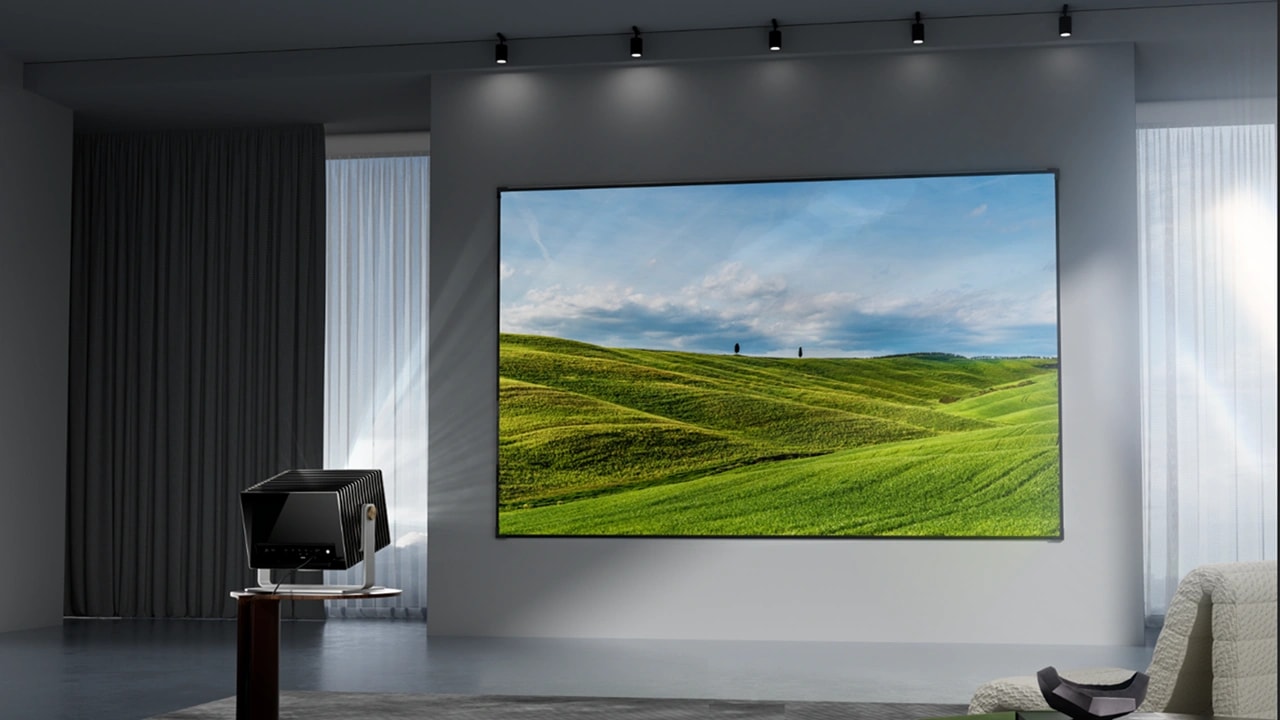
This major tournament will feature many afternoon matches. Sunlight from nearby windows is brutal; it can make the pitch look gray and flat within seconds. If possible, test your setup during daytime hours before the tournament starts. Models like the Valerion VisionMaster Pro 2 are bright enough for daytime kickoffs without washing out the pitch. Pair it with an ALR (Ambient Light Rejecting) screen, and you'll get richer greens on the pitch and more lifelike national team colors than a standard TV can produce.
Realistic Outdoor Viewing Tips (The Backyard Setup)
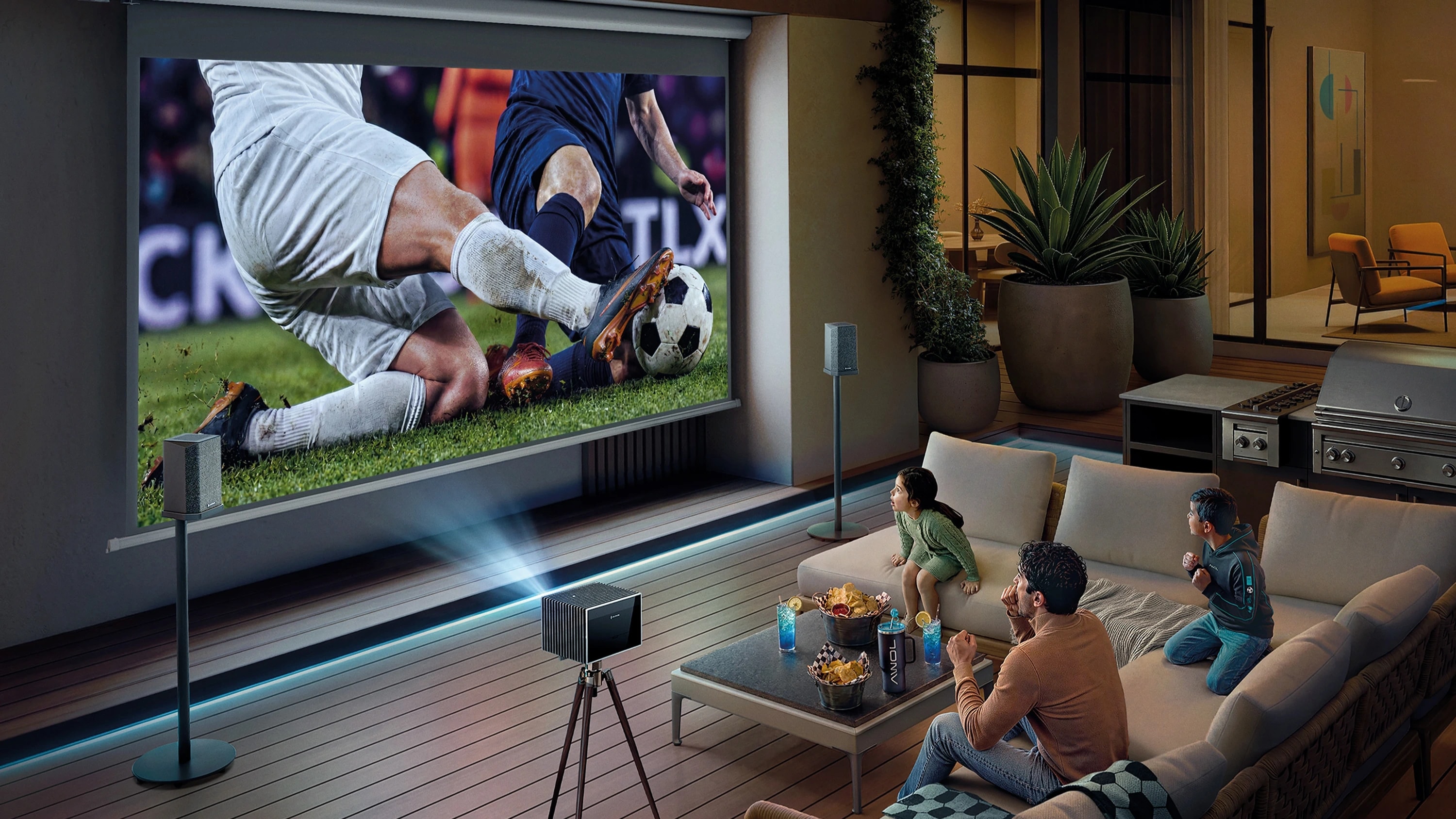
Let’s be honest—even the brightest projectors struggle against direct, high-noon sunlight. A backyard setup works best after sunset or during late-evening kickoffs. As dusk settles, a high-lumen projector paired with a portable screen can genuinely recreate the atmosphere of an outdoor fan zone. Use a projector with low-latency Bluetooth to connect to large, battery-powered outdoor speakers for that booming match-day atmosphere.
Simpler Streaming for Match Day
When the referee is about to blow the opening whistle, the last thing you want is to be scrambling for multiple remotes. Projectors that feature built-in smart operating systems, like Google TV, eliminate the need for external dongles. You just turn the projector on, open your streaming app, and you are instantly in the game.
Conclusion: Ready for Kickoff?
The upcoming international tournament will probably be remembered for decades in North America. It deserves more than a tiny screen in the corner of the room. Whether you are transforming your living room into a tactical viewing zone or setting up a massive watch party in the backyard, the right 4K projector changes the game. By combining a solid streaming package with a high-lumen, color-accurate display, you won't just be watching the matches; you'll be feeling the stadium atmosphere right from your couch.
FAQ About Watching the 2026 Tournament in 4K
Will every match of the 2026 tournament actually be available in 4K?
Broadcasters are expected to prioritize marquee matches, knockout rounds, and host-nation games for 4K coverage, though full tournament-wide 4K availability has not yet been officially confirmed.
Is streaming in 4K really worth it for live sports?
Absolutely. The higher resolution and HDR allow you to see individual faces in the crowd, the texture of the grass, and the exact spin on the ball. It is the closest thing to buying a ticket.
Do you need HDMI 2.1 for sports streaming?
For simply streaming a 4K broadcast, no. However, if you plan to use your projector to play soccer video games during halftime, HDMI 2.1 is crucial for higher refresh rates and low input lag.
How bright should a projector be for daytime soccer matches?
If you are watching in a room with some ambient light, you should aim for a projector with at least 2000 to 3000 ISO lumens, paired with an ALR screen. Watching a bright afternoon match is very different from testing a projector at night, so plan accordingly.
Is an OLED TV better than a projector for soccer?
OLEDs offer incredible contrast for movies but are highly reflective and limited in size. A laser projector offers far better "bang for your buck" for massive screen sizes and provides a more comfortable, cinematic experience for daytime sports.
What internet speed do I need for 4K sports?
Aim for at least 50 Mbps of dedicated bandwidth to ensure your stream doesn't drop in quality right as someone lines up for a penalty kick.