Projector for an Apartment: What to Know Before You Buy
By AWOL Valerion Tech
September 30, 2026
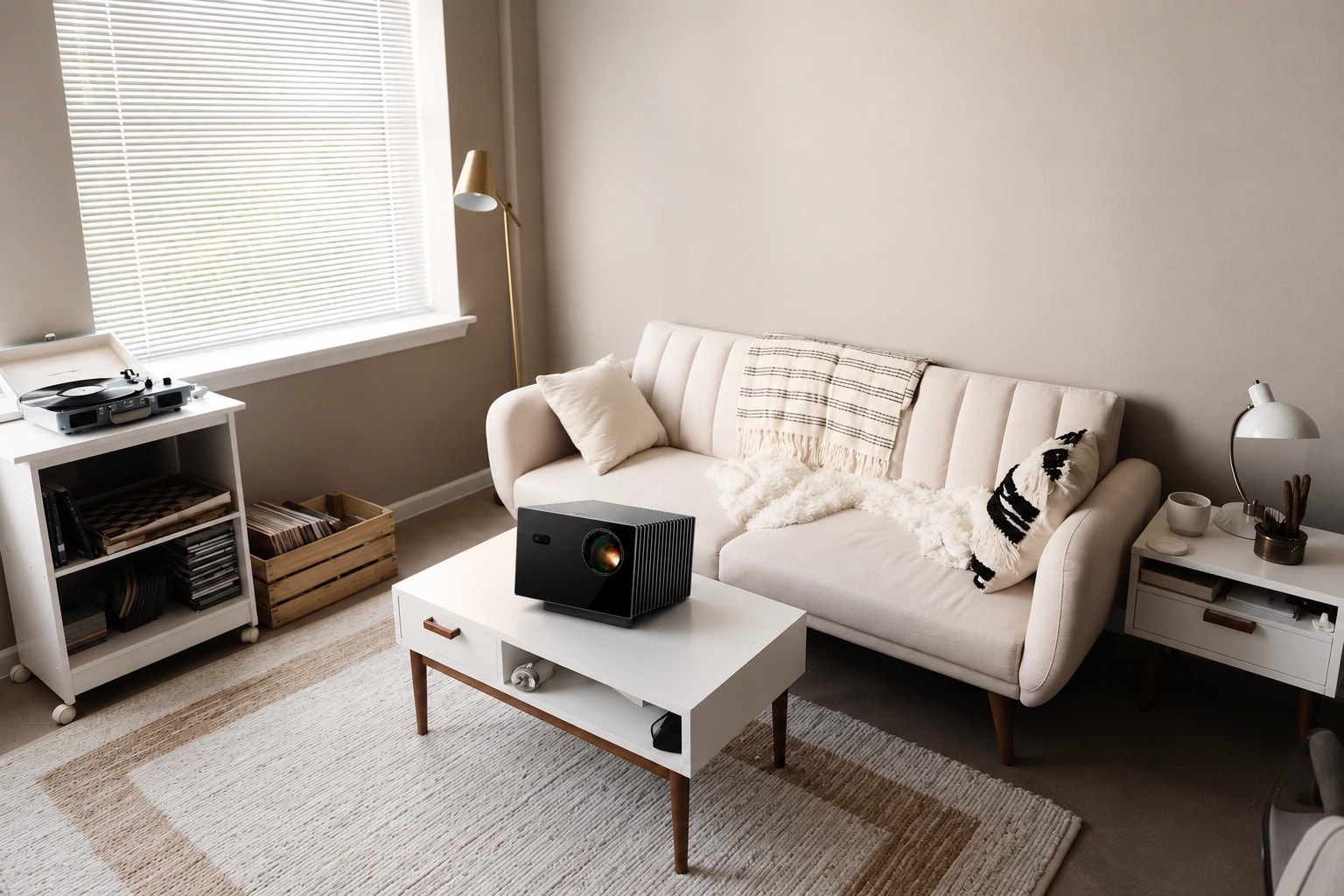
A projector can work surprisingly well in an apartment. It can turn a living room into a large-screen movie space without permanently dedicating an entire wall to a television, and the setup can often be adapted around existing furniture.
But living in a small space does not automatically mean you need a mini projector. The more important question is whether a projector's throw ratio, image size, brightness, placement flexibility, and noise level fit your room.
Before choosing a projector, measure the apartment first. A good decision usually follows this order:
Once those pieces fit together, choosing the right projector becomes much easier.
Does a Projector Work in a Small Apartment?
Yes. A projector can work in a small apartment as long as the room gives you enough usable wall area and the projector can produce the desired image from the available distance.
In fact, a projector can solve some problems that a large TV creates. A 75- or 85-inch television permanently occupies a large section of the room, while a projected image can effectively disappear when the projector is switched off. That can be useful in a multipurpose living room where wall space, furniture placement, and walking space all matter.
Before deciding that a projector is right for your apartment, check a few basics:
How much unobstructed wall space is available?
How far can the projector lens sit from that wall?
Where will the sofa or bed be positioned?
Can you reduce daylight with curtains or blinds?
Can the projector sit on a shelf, cabinet, stand, or mount?
If you rent, are permanent wall or ceiling modifications allowed?
The key point is simple: a small apartment does not necessarily require a small projector. It requires a projector that fits the room geometry.
Measure Your Apartment Before Choosing a Projector
The biggest mistake is choosing a projector first and trying to make the room fit it afterward. Start with the physical limits of the apartment.
Start With the Available Wall Size
Measure the usable width and height of the wall you plan to project onto. Do not count areas interrupted by:
doors
windows
tall furniture
shelves
radiators
architectural features
If you plan to use a projector screen, measure the space available for the entire screen assembly, not just the projected image.
This gives you a realistic maximum image size.
A larger image is not automatically better. If the sofa sits relatively close to the wall, an oversized image can feel overwhelming. Viewing distance and screen size should be considered together rather than treated as separate decisions. Our guide to choosing the right screen size based on viewing distance explains this relationship in more detail.
Measure the Available Throw Distance
Next, measure the distance from the potential projector lens position to the screen or projection wall. This is the throw distance. Throw ratio connects that distance to image width:
Throw distance = image width × throw ratio
For example, the smaller the throw ratio, the closer the projector can generally sit while producing the same image width.
This is particularly important in apartments. A projector that works perfectly in a 14-foot room may not produce the same image in a room where only 7 or 8 feet are available between the lens and wall.
Do not rely on labels such as "small-room projector." Use the actual throw ratio and calculate whether the projector can produce your desired image at the distance you have.
For compatible Valerion models, the projector calculator can also help match image size to installation distance.
Check Viewing Distance Too
Throw distance tells you where the projector needs to sit. Viewing distance tells you where you should sit.
They are not the same measurement.
A compact apartment may technically allow a very large projected image, but that does not mean it will be comfortable from the sofa.
Think about:
how far your eyes are from the screen
whether the entire image fits comfortably within your field of view
whether subtitles and interface elements are easy to scan
whether the seating position works with the rest of the furniture
For many apartment setups, choosing an image that fits the room naturally produces a better experience than simply maximizing the diagonal size.
What Features Matter Most in an Apartment Projector?
Once you know the physical limits of the room, projector specifications become much easier to evaluate.
Flexible Throw Ratio and Optical Zoom
For an apartment, placement flexibility can be more valuable than simply choosing the smallest projector chassis.
A projector with a usable throw-ratio range and optical zoom gives you more freedom to place it around:
sofas
cabinets
shelves
doorways
existing power outlets
Instead of requiring one exact projector-to-screen distance, optical zoom gives you a range of positions from which the same screen size may be possible.
For layouts where furniture limits projector placement, AWOL Valerion Max combines a native 0.9–1.5:1 throw ratio with optical zoom. That gives considerably more front-to-back placement flexibility than a fixed-ratio design.
Lens Shift Helps With Difficult Heights
Apartments rarely provide a perfectly empty room where the projector can sit exactly where optical geometry would prefer.
You may need to place it:
on a rear shelf
above the sofa
on a cabinet
higher than the center of the screen
This is where lens shift can be particularly useful.
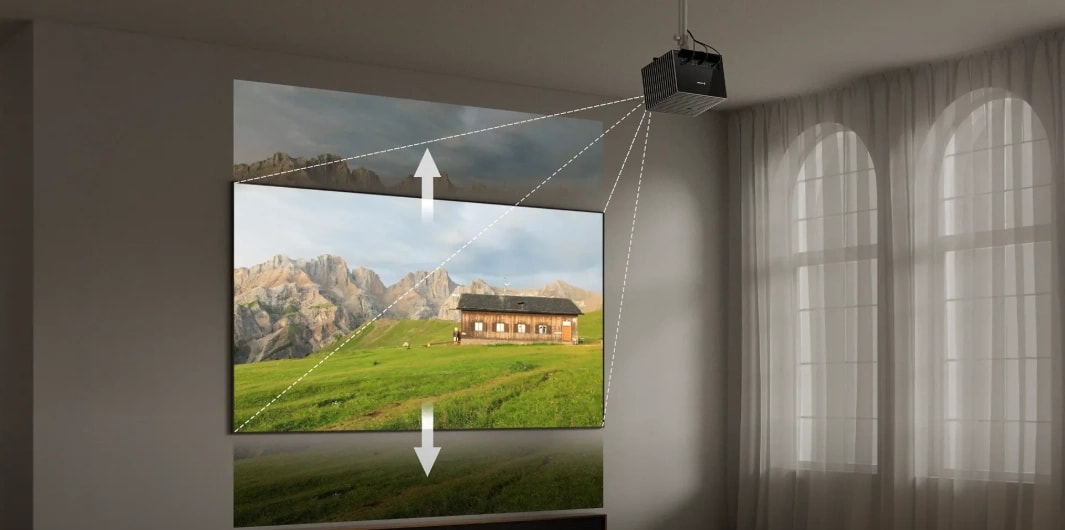
Lens shift moves the projected image optically without requiring you to physically tilt the projector. That can reduce the need for digital geometry correction when the projector has to sit above or below the ideal position.
AWOL Valerion Max supports ±105% vertical lens shift, giving additional flexibility when adjusting image height. Learn how projector lens shift works.
Lens shift does not replace good planning, but in a furnished apartment it can make a difficult installation much easier.
Brightness Depends on Light, Not Apartment Size
A smaller room does not automatically mean you need less projector brightness.
Brightness requirements depend more on ambient light than square footage.
Consider:
how large the windows are
which direction they face
whether you mainly watch during the day or at night
whether blackout curtains are practical
whether lamps remain on while watching
what type of screen or wall surface you use
A dark apartment used mainly for evening movies can place less emphasis on maximum brightness.
A bright living room with large windows requires more light output if you want the picture to remain vivid during the day.
AWOL Valerion Max delivers up to 3500 ISO lumens, which can provide more headroom for multipurpose living-room viewing than a projector designed only for dark-room use.
Even then, controlling direct sunlight remains important. No projector benefits from bright sunlight falling directly onto the image.
Fan Noise Matters When the Projector Is Close
Noise can become more noticeable in an apartment because the projector may sit only a few feet from the viewer.
In a dedicated home theater, a projector might be mounted well behind the seating position. In a small apartment, it may be:
directly behind the couch
on a shelf above your head
close to the bed
on a table beside the seating area
That makes fan behavior worth considering.
Do not evaluate noise purely from a specification sheet. Think about where the projector will sit relative to your ears and how you typically watch content. Quiet movie scenes make fan noise more noticeable than sports, games, or louder TV content.
Resolution and Streaming Convenience
If the projector is going to replace or supplement your TV, image quality is only part of the experience.
A daily-use apartment setup also needs to be convenient.
Consider:
4K resolution for larger image sizes
HDR format support
HDMI inputs
wireless casting
streaming-device placement
Wi-Fi reliability
cable routing
audio setup
The cleaner the setup, the less the projector will make a compact apartment feel cluttered.
A projector that delivers an excellent image but requires cables running across the living room every night may not be the best apartment solution.
Renter-Friendly Projector Setup Ideas
Renting changes the installation question because drilling into walls or ceilings may not be allowed.
Fortunately, a projector does not always require a permanent mount.
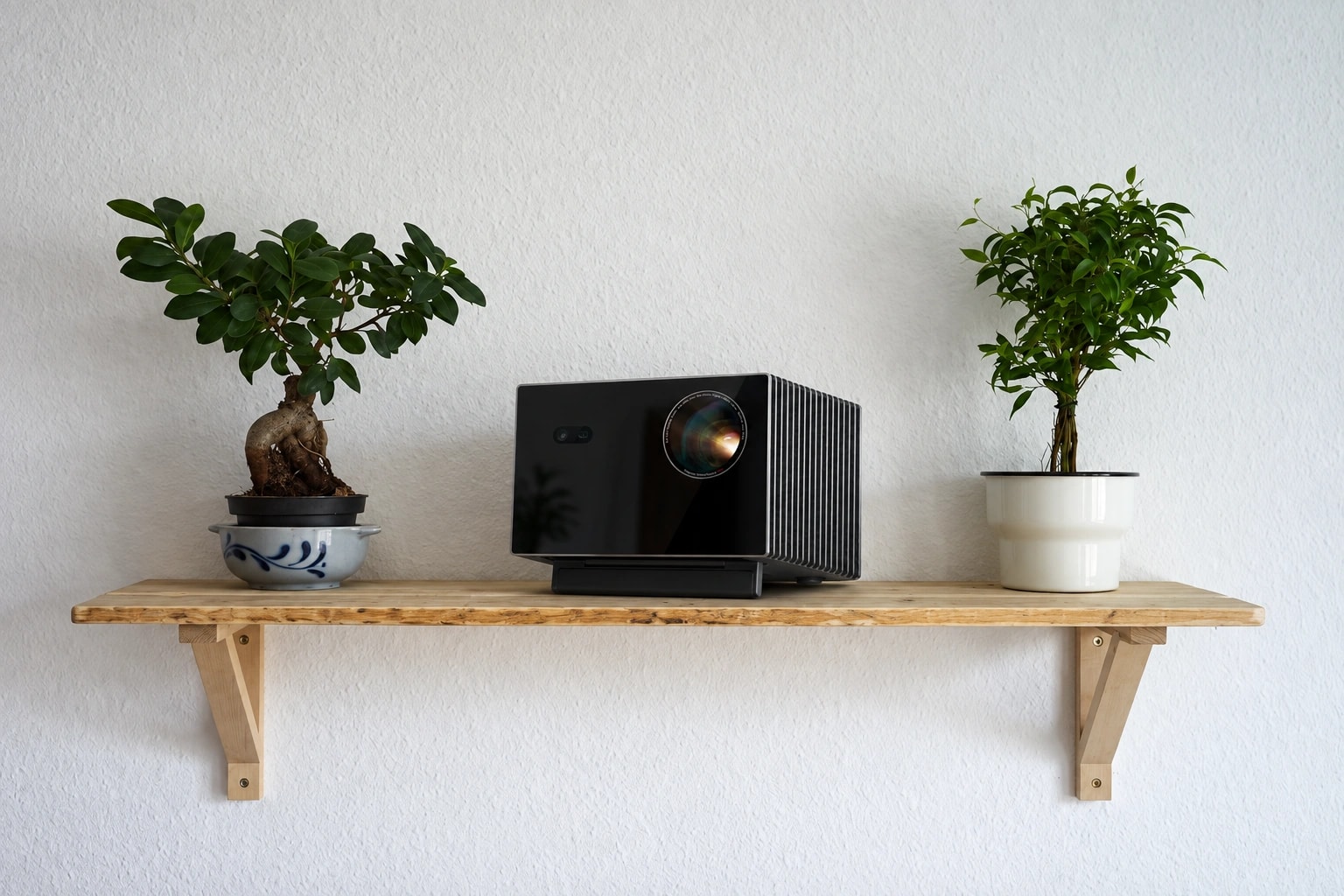
Rear-Wall Shelf
If the sofa sits near the rear wall and the throw distance works, a shelf can provide a clean, repeatable projector position.
Once the shelf is level and the projector is aligned, you can leave the setup in place without using floor space.
The important part is to calculate the correct optical position before installing the shelf rather than choosing the shelf location first.
Console or Media Cabinet
A cabinet, bookcase, or console can work when its height and distance match the projector's optical requirements.
This option is particularly renter-friendly because it requires no permanent modification.
Make sure the projector has:
a stable surface
adequate ventilation
cable clearance
an unobstructed path to the screen
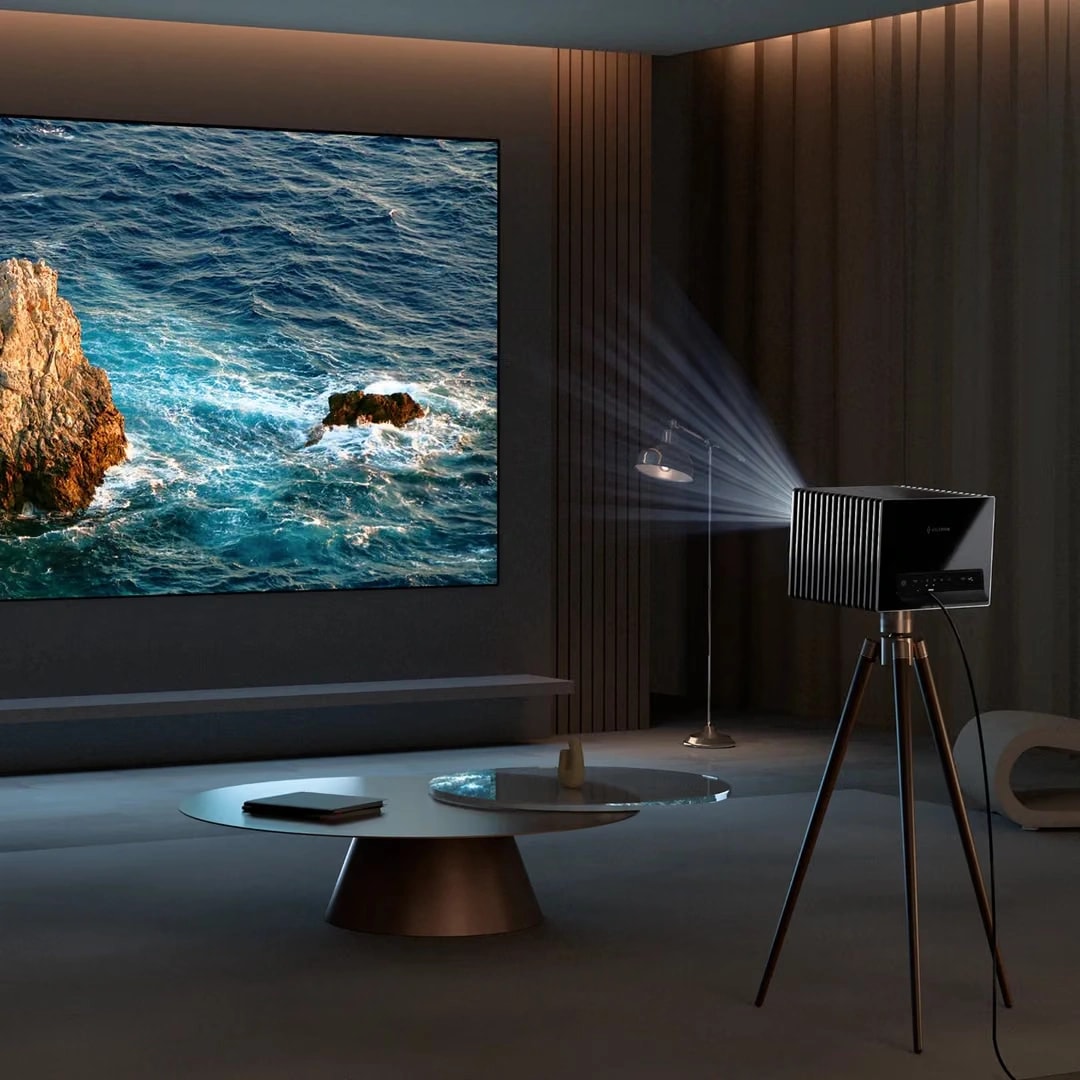
Floor Stand or Tripod
A stand is one of the most flexible solutions when you cannot drill into anything.
It can also allow the projector to be stored away when not in use.
The trade-off is repeatability. If the stand is moved frequently, you may need to realign the image each time.
Portable or Floor-Rising Screen
Not every apartment has a smooth, blank wall.
If the wall is textured, colored, interrupted by artwork, or unavailable for permanent installation, a retractable or floor-rising screen can create a dedicated projection surface only when needed.
This can be especially useful in a living room that serves several functions during the day.
Projector vs. TV for an Apartment
Neither option is universally better. They solve different space and viewing priorities.
Consideration
Projector
TV
Screen size
Can produce a much larger image
Fixed physical size
Visual footprint when off
Image disappears
Screen remains visible
Floor and wall flexibility
Can preserve more usable space
Large models require permanent space
Daytime viewing
More affected by ambient light
Generally easier in bright rooms
Installation
Depends on room geometry
Usually straightforward
Rental flexibility
Can use stands or temporary screens
Easy to set up but large TVs are bulky
Movies
Strong large-screen immersion
Consistent image in more conditions
Everyday convenience
Depends on setup
Typically very immediate
A projector makes particular sense when large-screen viewing and flexible use of the wall matter more than maximum daytime convenience.
A TV may make more sense when the room is bright most of the day and you want instant viewing without thinking about light control or projector placement.
Apartment Projector Checklist Before You Buy
Before ordering a projector, answer these questions:
How wide and tall is the usable projection wall?
What screen size fits your seating distance?
How far can the projector lens sit from the screen?
Does the projector's throw ratio support that distance?
Can you control daylight and room lighting?
Where will the projector physically sit?
Can you drill into the wall or ceiling?
How close will the projector be to where you sit?
Would optical zoom or lens shift make placement easier?
Where will power, HDMI, streaming, and audio connections go?
If you can answer those questions before shopping, you are far less likely to end up with a projector that looks good on paper but does not fit the room.
Choose for the Room, Not the Label
Do not choose a projector simply because it is marketed as "portable," "mini," or "for small spaces." Start with the apartment itself.
Measure the available wall. Decide on an appropriate image size. Calculate the throw distance. Find a realistic projector position. Then consider ambient light, fan noise, and how you plan to use the system every day.
In a compact room, features such as optical zoom, a flexible throw ratio, and lens shift can be more useful than simply having a smaller projector body.
The best apartment projector is ultimately the one that works with the room you already have.
FAQ About Projectors for Apartments
What is the best projector for a small apartment?
The best projector is one whose throw ratio, image size, brightness, placement options, and noise characteristics fit your room. Physical compatibility matters more than simply choosing the smallest model.
Do projectors work in small rooms?
Yes. The key is matching the projector's throw ratio to the available lens-to-screen distance and choosing an image size appropriate for the viewing distance.
Do I need a short-throw projector for an apartment?
Not necessarily. If a standard projector can produce your desired image from the distance available in the room, there is no reason to choose a short throw purely because you live in an apartment.
Can I use a projector in a rental apartment?
Yes. A projector can sit on a shelf, cabinet, floor stand, or tripod, while a portable or floor-rising screen avoids permanent wall installation.
Is a projector better than a TV for an apartment?
It depends on your priorities. A projector offers much larger images and can leave the wall visually clear when switched off. A TV is generally easier for bright daytime viewing and immediate everyday use.
Projector Shelf: How to Choose, Position, and Install One
September 30, 2026
Learn how to choose and position a projector shelf, calculate throw distance, set the right height, compare shelf vs. ceiling mount, and plan a clean setup.
How to Choose a Ceiling Projector Mount: 4 Measurements That Matter
September 24, 2026
Before buying a ceiling projector mount, confirm throw distance, then check projector weight, mounting interface, required drop, and ceiling structure.
Projector Lens Shift: What It Is, How It Works, and How to Read the Specs
September 17, 2026
Learn what projector lens shift is, how vertical and horizontal shift differ, and how to read a ±105% spec — plus why lens shift beats keystone correction for image quality.