Projector Shelf Placement: How to Choose the Right Height, Distance, and Shelf
October 16, 2026
A wall shelf can give a home projector a stable, permanent place without the work of a ceiling installation. It can also keep equipment and cables out of the way, especially when the projector sits on a rear wall or above a media cabinet.
The shelf itself is only one part of the setup, though. Its position affects image size, screen alignment, cable access, and airflow. A shelf that looks right in the room may still put the projector outside its usable throw range or force you to tilt the unit to reach the screen.
A reliable installation starts with the image, not the furniture. Decide where the screen will go and how large it should be, work out where the projector lens needs to sit, and then choose a shelf that supports that position.
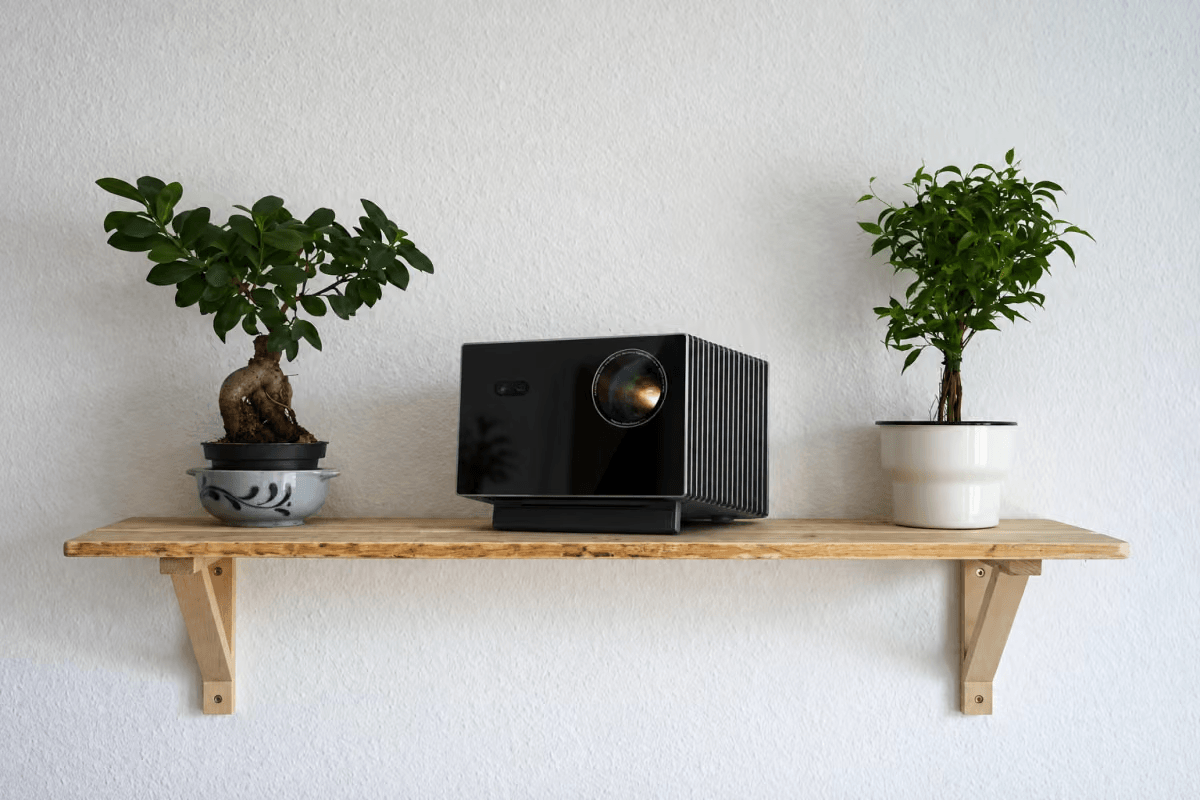
Can a projector sit on a shelf?
Yes, provided the shelf is stable and the projector can reach the screen from that location. A floating shelf, a deeper wall-mounted platform, or a built-in cabinet can all work. The right choice depends on the projector’s dimensions, the room layout, and the space needed for cables and cooling.
Think of the shelf as part of the projector’s installation, rather than as storage. It has to hold the projector without wobbling, fit its full footprint, and leave the intake and exhaust vents clear. It also needs to place the lens within the projector’s supported distance and height range.
That last requirement is easy to miss. Positioning the projector body by eye can leave the lens too close to the wall, too far from the screen, or too high to align cleanly. Measuring first helps avoid drilling holes for a shelf that cannot deliver the image you want.
Find the projector position before choosing the shelf
Start with screen size and throw distance
A projector’s throw ratio describes the relationship between the lens-to-screen distance and the width of the projected image:
Throw distance = image width × throw ratio
Use the width of the visible image, not its diagonal measurement. For a 16:9 screen, a 120-inch diagonal image is about 105 inches wide. As a simple illustration, a projector with a 1.2:1 throw ratio would need roughly 126 inches—about 10.5 feet—from the lens to the screen. This is a worked example, not a placement recommendation for any particular model.
If a projector has optical zoom, it may support a range of throw ratios, which gives you some flexibility in where the shelf can go. A fixed-throw model offers less room to adjust. For an exact installation distance, use the manufacturer’s chart or calculator for the projector model and screen size; specifications can vary across models and screen formats.
Measure from the lens to the screen. The back of the projector is farther from the lens by the depth of the chassis, so the lens-to-screen measurement does not tell you how far the shelf will extend from the wall. Account for the projector’s body depth when checking the room and selecting shelf dimensions.
Set the shelf height from the lens and screen
There is no universal shelf height that works for every projector. The right height depends on the screen’s position, the lens’s location on the projector body, the projector’s vertical offset, and whether the model offers optical lens shift. Installation orientation also matters: a projector on a shelf may be set up differently from one mounted upside down from a ceiling.
Lens shift can move the image vertically while the projector remains level. Lens offset describes where the image naturally falls in relation to the lens. These are different features, and the allowed range depends on the model. Check the projector’s setup guide before marking the wall; don’t assume that a shelf height used in another room will work for your equipment.
For example, AWOL Valerion lists a 0.9–1.5:1 throw ratio and ±105% vertical lens shift for AWOL Valerion Max. Those adjustments can widen the available placement range, but they do not remove the need to check the screen position and the model’s installation guidance.
Whenever possible, get the projector physically aligned and level before using digital keystone correction. Digital correction can alter the image through scaling, and the impact varies by implementation. It is useful for small adjustments, but it should not be the first fix for a shelf mounted in the wrong place.
Choose a shelf that fits the complete setup
The projector’s chassis depth is only a starting point. A connected power cable and HDMI cable need room to bend, and you may need access to the ports after installation. A shelf that is exactly as deep as the projector can leave cables pressed against the wall or make connections difficult to reach.
Check the shelf’s usable surface, weight rating, mounting hardware, and the structure it will attach to. The shelf should support the projector’s footprint without overhang, and it should not flex noticeably under load. For wall-mounted shelves, use hardware suited to the wall material and the installation weight.
Cooling requirements differ between projector models. Check the manual for the required clearance around the intake and exhaust vents, then make sure the wall, shelf, cabinet, or decorative panels will not block airflow. This matters especially when the projector is placed inside cabinetry: a concealed installation still needs a clear route for hot air to escape.
Install the shelf in a measured sequence
- Confirm the screen dimensions:If the screen is already installed, measure the visible image area. If you are still choosing a size, settle on the screen dimensions before laying out the projector position, since a change in image width changes the required throw distance.
- Check the model’s placement range:Use the manufacturer’s calculator or distance chart for your projector and screen size. Measure from the planned lens position to the screen and confirm the location falls within the supported range. If the projector offers optical zoom, use the range shown in its specifications rather than assuming that any position within the room will work.
- Mark the lens position:Mark the screen centerline and the intended lens height. Then compare those marks with the projector’s lens location, offset, and lens-shift range. This is more reliable than centering the projector body on the wall: the lens may not sit at the center of the chassis.
- Check the shelf and cable clearances:Before drilling, place the projector or a dimensioned template at the planned location. Check how far the chassis and cables will extend from the wall, whether ports remain accessible, and whether the required ventilation space is open. Confirm that the shelf and mounting hardware are rated for the installation and suit the wall structure.
- Mount, level, and test:Level the shelf before placing the projector on it. Once the projector is in position, verify its physical alignment and set image size with optical zoom if available. Use optical lens shift only if the model includes it. Make small digital corrections after the physical placement is as close as possible.Testing the image before tidying or concealing the cables can save a second installation. Once the image is aligned and the projector has enough airflow, route and secure the cables without placing tension on the ports.
Does a shelf behind the couch work?
It can, if the rear wall puts the lens at a usable distance from the screen. This arrangement can keep a projector standing out of a walkway and make it easier to route cables along the wall. But the couch should not determine where the projector goes. The screen size and the projector’s optical range do.
Height matters as well. The image needs to clear seated viewers while staying within the projector’s supported vertical alignment range. If the projector sits directly above the seating area, fan noise may also be more noticeable during quiet scenes. Consider the viewing position and the manufacturer’s noise information before fixing the shelf.
Projector shelf or ceiling mount?
A shelf is often easier to reach for setup and maintenance, and it can work well when a rear wall or cabinet matches the required lens-to-screen distance. A ceiling mount is useful when the ideal projector position falls farther into the room or when you want the unit away from furniture and seating.
The best choice depends on the room’s geometry and how permanent you want the installation to be. Measure the lens position first; then choose the mounting method that can support it while leaving enough room for alignment, airflow, and cable routing.
A cleaner-looking installation
A projector does not have to dominate a living room when it is switched off. A floating shelf can blend with other wall storage, while a built-in cabinet can make the equipment less visible. A removable shelf may suit a projector that is used only occasionally, provided it can be returned to the same measured position.
Concealment should follow the installation requirements. Enclosed or decorative spaces still need to preserve the projector’s throw distance, lens alignment, and ventilation clearance. A hidden projector that overheats or cannot reach the screen is not a successful installation.
Projector shelf questions
How high should a projector shelf be?
There is no standard height. Set it according to the screen position, the projector’s lens location and offset, and the available lens-shift range. Check the model’s installation guide before drilling.
How deep should a projector shelf be?
The shelf needs to support the projector’s full footprint and leave room for connected cables, port access, and the clearances specified in the manual. Measure the installed setup rather than relying on the projector’s body dimensions alone.
Can a projector go on a floating shelf?
Yes, if the shelf is level, securely mounted, rated for the load, and large enough for the projector and its connections. Keep the cooling vents unobstructed and confirm the lens can reach the screen from that position.
Is a projector shelf better than a ceiling mount?
Neither is always better. A shelf can suit a room where the ideal projector position is close to a wall and easy access is useful. A ceiling mount can suit a room where the required position is away from a wall or where keeping the projector out of the way is a priority.
Measure first, mount second
A good projector shelf begins with three measurements: the image width, the lens-to-screen distance, and the lens height relative to the screen. Once those are confirmed, you can choose a shelf with enough support, depth, cable room, and ventilation clearance.
Planning in that order makes the shelf part of a well-aligned projector setup—and makes final picture adjustment much more straightforward.
Discover More Insights