How to Choose an Indoor Projector Screen: Size, Material, and Type
October 16, 2026
Most people shop for a projector screen the way they shop for a TV: find the biggest one that fits the budget and hope the rest works out. It usually doesn't, because a screen isn't a standalone purchase. Whether a screen performs depends on two things outside itself — how much light your room has and what projector is throwing the image. A screen that's perfect for a dedicated dark theater is the wrong choice for a living room with windows, and a bargain screen can quietly erase the contrast a $3,000 laser projector just bought you.
This guide walks the decision in the order that actually works: your room first, then size, then material, then form factor, and finally a compatibility check against your projector.
Start With Your Room, Not the Screen
Every screen decision is downstream of your lighting. Put rooms into one of three buckets and the material question mostly answers itself.
- A dedicated dark room — blackout curtains, controllable light, lights off during movies. This is the easy case. A plain matte white screen is the reference standard for a reason: accurate color, the widest viewing angles, and no optical trickery. Nothing fancier buys you anything here.
- A living room with ambient light — windows, lamps, daytime watching, or people walking through. Ambient light washes out a white screen because it hits the surface and scatters everywhere, lifting blacks toward gray. This is the case for an ambient light rejecting (ALR) screen, which is engineered to accept light from the projector's direction and reject light from everywhere else.
- A multi-purpose room — bedroom, den, bonus room that needs to look normal when the movie ends. Lighting matters, but so does form factor: the screen has to disappear when it's not in use, which pushes you toward retractable or portable designs.
Lighting decides the material class; room layout decides the form factor. Starting from a product page works the same decision backwards, which is why so many people end up with a great screen in the wrong room.
What Size Indoor Projector Screen Do You Need?
Screen size is a viewing-distance question first and a wall-size question second.
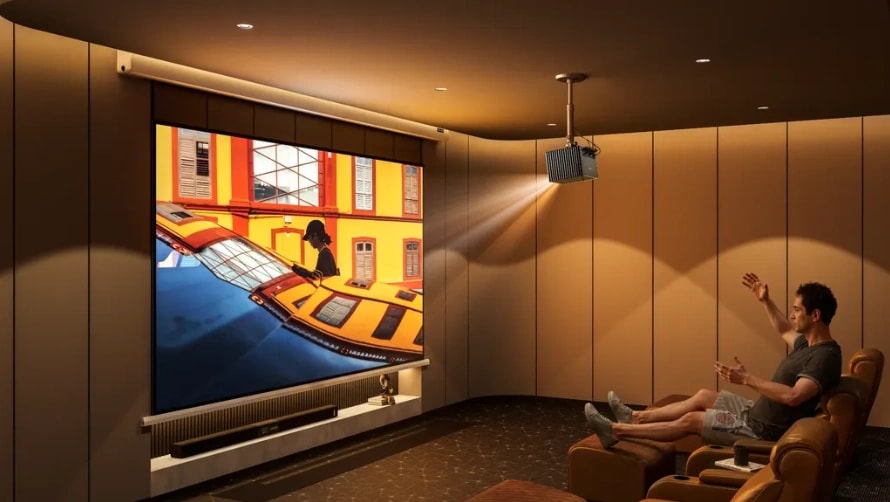
Measure your seating distance, then divide. Measure the distance from your primary seating position to where the projected image will appear, in inches. Divide that number by 1.2 to 1.6 to estimate a practical range of 16:9 screen diagonals. The lower divisor gives you a larger, more immersive image, while the higher divisor offers a more relaxed viewing experience.
For reference, THX's consumer screen-size guidance recommends multiplying your viewing distance by 0.835. For a 16:9 screen, that translates to roughly a 40° horizontal field of view. Separately, THX's cinema certification guidance specifies a 36° horizontal viewing angle from the farthest seat in a commercial auditorium. These guidelines serve different viewing environments, so they are useful references rather than universal requirements for every home theater.
At a viewing distance of 10 feet (120 inches), the suggested range works out to approximately 75–100 inches diagonally. If you enjoy sitting near the front of a movie theater, you may prefer the larger end. If you find large screens overwhelming, start with the smaller end and adjust to your preference.
For a more detailed approach to planning a dedicated home theater, CTA/CEDIA's Home Theater Video Design guidance addresses screen sizing based on the primary seating position, viewing preferences, image resolution, and room conditions.
Then check the wall, not the diagonal. Screen sizes are advertised diagonally, but walls are measured in width and height. For a 16:9 screen, the viewable width is roughly 87% of the diagonal — a 100-inch screen is about 87 inches wide — plus a frame or housing on top of that. Measure your wall before falling in love with a number. Ceiling height matters more than people expect with retractable screens, because the housing plus the drop length has to bring the image down to eye level.
Going big has a physics cost. Screen brightness spreads across area, and area grows fast: jumping from 100 to 150 inches more than doubles the surface, so the same projector delivers less than half the brightness per square inch. A big matte white screen in a dark room can get away with a modest projector. A big screen in a lit room cannot. If you're targeting 130 inches or more, check your projector's output honestly first — this is where a high-output model like our AWOL Valerion Max (3,500 ISO lumens) stops being a luxury and starts being the thing that makes the size viable. On the other end, small rooms and apartments have their own constraints; we covered those in choosing a projector for an apartment.
Screen Materials Explained: Matte White, Gray, and ALR

Material is the highest-stakes choice in the whole process, and the one most guides describe in the vaguest terms. Three families cover nearly everything.
Matte white is the baseline: gain around 1.0–1.3, viewing angles up to 170°, accurate color. Gain is a measure of how much light a screen reflects toward the viewer — 1.0 is neutral, higher gain means a brighter image at the cost of a narrower sweet spot. In a dark room, matte white wins on everything that matters. Our Matte White fixed-frame screen sits at gain 1.3 with a 170° viewing angle, which is the profile this material family is known for.
Gray screens trade a little brightness for deeper perceived blacks. They're a workaround for projectors with weak contrast or rooms with a bit of light pollution. With a modern high-contrast laser projector, the case for gray is weaker than it used to be — the projector is doing that job already.
ALR (ambient light rejecting) screens use a micro-structured surface that reflects light coming from the projector's direction back toward the seating area while absorbing or deflecting light from overhead fixtures and windows. They're the difference between a washed-out noon movie and a watchable one in a living room. The tradeoffs are real and worth stating plainly:
- ALR narrows the viewing angle significantly. Our Fresnel ALR screen, for example, rejects 85% of ambient light and pushes gain to 1.8 — but its viewing angle is 90°, not 170°. Everyone needs to sit reasonably in front of the screen, not off to the sides.
- Many ALR designs are throw-type-specific. Fresnel screens work with standard and long-throw projectors only; ultra-short-throw projectors need their own CLR screens, and the two are not interchangeable.
- ALR costs several times more than matte white. If your room is dark, that money buys nothing.
The honest summary: buy ALR to solve an ambient-light problem, not as an upgrade for its own sake.
Fixed, Retractable, or Portable: Picking the Form Factor
Fixed frame is a stretched, permanently mounted rectangle. It's the flattest, tautest surface per dollar, and the black frame border gives a real perceived-contrast benefit — the eye judges the image against the border, not against the wall. The cost is that it owns your wall forever. Best for dedicated theaters and basements. Our Matte White line runs 100–220 inches in this format, from $299.
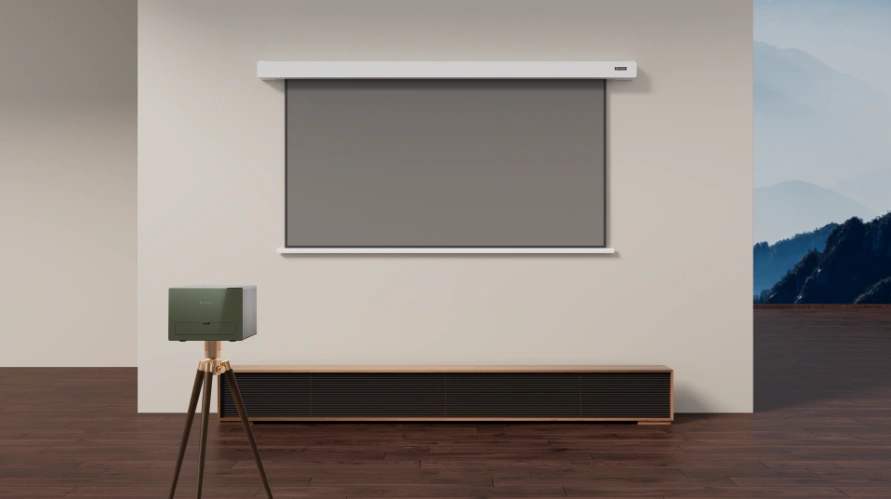
Retractable comes in manual and motorized. Manual pull-down screens are cheap and fine for classrooms, but non-tensioned surfaces develop edge curl and waves over time — visible as ripples in bright scenes. Motorized retractable screens solve the aesthetics problem for living rooms: the screen lives in a housing on the wall or ceiling and disappears when the movie ends. Look for tensioned designs and an adjustable drop, which lets you fine-tune height without re-mounting; our PureVision motorized screen, for instance, offers a 20-inch drop adjustment plus auto rise/drop synced to the projector.
Portable and floor-rising screens suit renters, frequent movers, or rooms where drilling isn't an option. They're about flexibility, not picture quality. Inflatable and folding designs mostly serve outdoor use, so keep them out of the indoor decision.
If mounting is part of the plan, the projector side has its own set of decisions — see our guides on choosing a ceiling mount and reading lens shift specs.
Match the Screen to Your Projector
This is the step almost every screen guide skips, and it's where purchases go wrong. Two checks matter.
Throw type. The angle light hits the screen determines what optical structures it can use. Long-throw and standard-throw projectors work with nearly every screen on the market. Ultra-short-throw projectors fire light upward from inches away and need dedicated UST/CLR screens — a long-throw ALR screen pointed at a UST projector rejects the projector's light along with the room's. Our lineup is long-throw across the board, including the Fresnel, so pair accordingly.
Brightness and speckle. A modest projector in a dark room benefits from a higher-gain screen that concentrates available light. A high-output RGB triple-laser projector has the opposite problem: plenty of brightness, and a visible shimmer called laser speckle on ordinary surfaces. That's a material problem, not a projector defect — finely tuned low-gain matte surfaces (like our PureVision material, gain 1.0, designed to work with our speckle-reduction processing) present a cleaner image than a generic high-gain screen would. If you're shopping a bright-room screen for daytime sports, brightness is also the projector-side half of the equation; we covered that in choosing a projector for watching sports.
Is a Bare Wall Ever Good Enough? (and a DIY Option)
Honestly: sometimes. A smooth, matte, true-white wall in a dark room will show you a perfectly watchable movie tonight, and trying it costs nothing. The limitations show up over time: wall texture reads as grain on bright scenes, there's no black border so contrast looks flatter, and a wall has no optical gain or ambient-light control whatsoever — a lit room on a wall looks far worse than the same room with even a mid-range ALR screen.
The DIY step up is projector screen paint: mask a rectangle on a smooth wall, paint with a dedicated screen coating, tape a black border. It fixes the border and gains a proper surface for around $50–100 in materials. It's a legitimate option for renters and experimenters. What it can't fix is flatness, tension, or ambient light — past that point, a $299 fixed-frame screen is simply the better spend.
Indoor Projector Screen Buying Checklist
|
Decide |
Rule |
Then look at |
|
Room lighting |
Dark room → matte white; ambient light → ALR |
Material family first |
|
Size |
Seating distance ÷ 1.2–1.6 = diagonal; check wall width (≈0.87 × diagonal) |
100–120" fits most living rooms |
|
Form factor |
Dedicated room → fixed frame; multi-use → motorized retractable; renter → portable |
Flatness and drop adjustment |
|
Projector match |
Long/standard throw → any; UST → UST/CLR only; RGB laser → anti-speckle matte |
Compatibility before price |
|
Budget |
Entry $299 (fixed matte white) → mid $449–559+ (anti-speckle) → premium $909+ (Fresnel ALR) |
Current US pricing |
For a side-by-side of materials, gain, viewing angles, and throw compatibility across our lineup, the AWOL Valerion screen collection lays all five series out on one table.
Frequently Asked Questions
How do I select an indoor movie projector and screen?
Choose the projector first — brightness for your room's lighting, throw ratio for your room's depth — then select the screen as its match: matte white for dark rooms, ALR for living rooms, and a size derived from seating distance rather than wall size. Picking the screen first forces the projector to adapt to the wrong constraints.
What size indoor projector screen do I need?
Divide your seating distance in inches by 1.2–1.6; the result is your comfortable diagonal. At 10 feet that means 75–100 inches, at 12 feet 90–120 inches. Then confirm the wall fits: a 16:9 screen's width is about 87% of its diagonal, plus the frame.
How do I build my own projector screen indoors?
The practical route is screen paint on a smooth wall: mask the rectangle to your chosen size, apply a dedicated projection coating in two thin coats, and finish with a black tape border. Budget $50–100 and an afternoon. It genuinely improves on a bare wall, but it can't match the flatness, tension, or light control of a manufactured screen — treat it as a starter solution, not an endgame.
What's the best projector screen for a bright room?
An ALR screen, paired with a projector bright enough to fight the room. Look for the ambient-light rejection rating (ours rejects 85%), accept that the viewing angle narrows (90° versus 170° for matte white), and verify throw compatibility — Fresnel ALR screens like ours work with standard and long-throw projectors, while UST models need their own screen type.
Discover More Insights