Halloween Treats, Big-Screen Thrills — Up to 42% Off
Buying Guide
Do You Need a Soundbar for a Projector? How to Choose, Connect, and Place One
By AWOL Valerion Tech
October 16, 2026
A 120-inch picture demands more than a couple of two-inch drivers pointing at the ceiling. Yet that is the audio situation in most projector setups, and it is why one of the most-asked questions in projector forums is some version of "is adding a soundbar to a projector even a good idea?"
It is. The short answer: if you watch in anything larger than a small bedroom, a soundbar is the single most cost-effective upgrade you can make to a projector system. The real questions are which configuration fits your room, how to wire it given that projectors hide at the back of the room instead of sitting under the screen like a TV, and where the bar should physically go. Those three decisions are connected, and getting them wrong is where most setups fall apart.
Here is how to get them right.
Do You Actually Need a Soundbar With a Projector?
Start with why projector audio disappoints, because it explains everything that follows. A projector chassis is packed with a light engine, precision optics, and cooling. Whatever space is left over goes to speakers, which means small drivers in a thin enclosure with no acoustic volume behind them. The result is audio that measures fine for a video call and falls apart at movie volume: thin bass, strained highs, and dialogue that disappears under any soundtrack.
This is true even for projectors with genuinely decent built-in sound. Our own AWOL Valerion Max carries a 2×12W speaker system with DTS Virtual:X processing. Most projector speakers are 1–10 watts, so 24 watts with Dolby and DTS decoding is a real step up — and in a bedroom or a casual living room, it is entirely listenable. Put that same projector in front of a 120-inch screen in a 400-square-foot room, and physics wins: two small drivers in a thin chassis cannot pressurize a space that size or anchor dialogue to a picture eight feet wide. The bigger the image, the more the sound lags behind it in scale.
So the honest answer, from a company that makes projectors:
Small room, casual viewing, occasional movies — built-in speakers can carry you for a while.
Anything resembling a home theater — a soundbar, or something bigger, is not optional. The picture is doing 90% of the emotional work in a bad way when the audio does not match it.
What Kind of Soundbar Fits Your Room?
Soundbars are sold by channel count, and that number is the fastest way to narrow your options. The first digit is the number of discrete channels, the "1" is a subwoofer, and a trailing digit means height channels for Dolby Atmos.
2.0 or 2.1 (two channels, with or without a sub) — the entry point. A 2.1 bar with a wireless sub dramatically improves dialogue and adds real bass for under $300 in most lines. Right for bedrooms, offices, and apartments where "better than the projector" is the goal.
3.1 or 5.1 — the sweet spot for living-room theaters. The "3" means a dedicated center channel, which is the single most important spec for movie watching: the center channel carries the majority of dialogue, and without one, voices compete with music and effects instead of sitting above them. Add a wireless sub and you have a system that fills a typical living room.
5.1.2 and up, with surrounds — for dedicated theater rooms. Physical height channels and rear speakers reproduce what a 120-inch screen is actually showing you: an image big enough to surround you. Bars at this tier often ship with wireless rear speakers, or you graduate to a component system.
Match the bar to the room, not to the projector's price tag. A $2,000 bar in a 150-square-foot room is wasted; a $200 bar in a dedicated theater will be the first thing you notice is missing. If you are building the room itself, our home theater installation cost guide breaks down where the money in a full build actually goes.
How to Connect a Soundbar to a Projector
Connection
Audio it carries
Latency
Best for
HDMI eARC
Lossless Dolby Atmos, DTS:X, everything below
Imperceptible
The default choice whenever both devices have it
HDMI ARC
Compressed 5.1, Dolby Digital Plus
Imperceptible
Older projectors and bars without eARC
Optical (TOSLINK)
Dolby Digital 5.1, stereo
Imperceptible
Projectors without ARC; very reliable
Bluetooth (standard)
Compressed stereo
Often 150–250 ms — visible lip-sync drift
Music and casual background audio
Bluetooth (aptX LL)
Compressed stereo
Roughly 40 ms
Wireless setups where both devices support the codec
3.5mm AUX
Analog stereo
Imperceptible
Last resort; sound quality limited by the projector's DAC
This is where projector setups diverge from TV setups, and where most guides stop at "use HDMI ARC." The right wiring depends on where your sources live, and a smart projector changes the answer entirely. There are three viable architectures.
Path One: Sources Into the Soundbar, Video Out to the Projector
The classic approach, borrowed from TV setups. Your streaming box, console, or player plugs into the soundbar's HDMI inputs; a second cable runs from the soundbar's HDMI output to a projector input. The soundbar acts as the hub: it strips the audio out for itself and passes the video downstream.
This works well when the soundbar sits at the front of the room with all your sources, and it means every source benefits from the bar regardless of the projector's own audio features. The catch: the bar must have an HDMI output with video passthrough, which most mid-range and premium bars do and many budget bars do not — check before buying, not after.
Path Two: The Projector as the Source, Audio Out Over eARC
If you own a smart projector with streaming apps built in, the architecture inverts. Apps run on the projector itself, so the projector becomes the source — and its HDMI eARC port sends audio out to the soundbar while the picture plays from the same box.
On the AWOL Valerion Max, for example, Google TV with Netflix, YouTube, and the other major apps runs on the projector. Streaming devices plug into its two HDMI 2.1 inputs, and one HDMI 2.0 port is dedicated to eARC: the soundbar connects there and receives audio from every source, including the built-in apps. An S/PDIF optical output and a 3.5mm jack are there as fallbacks for older gear.
This is the cleanest setup for a ceiling-mounted projector when you want one box running everything. One HDMI cable from the soundbar to the projector's eARC port, sources plugged into the projector (or none at all, if you stream built-in), and no AV receiver in the chain.
Bluetooth: Convenient, With a Catch
Nearly every smart projector can pair to a Bluetooth soundbar or speaker directly, which is genuinely useful when the projector is on the ceiling and you want zero new cables. But standard Bluetooth buffers and compresses audio, which commonly adds 150–250 milliseconds of delay. At movie pacing that is two to four frames — enough for lips and voices to visibly disagree.
Practical guidance:
Bluetooth is fine for music, background sports, or casual YouTube.
For movies, use eARC or optical. If you must go wireless, make sure both ends support a low-latency codec such as aptX Low Latency, which cuts the delay to roughly 40 milliseconds — borderline acceptable, and some projectors also offer an audio-delay setting that lets you nudge sync manually.
If your projector has no Bluetooth output, a small external Bluetooth transmitter on the 3.5mm or optical jack achieves the same thing, with the same latency tradeoff.
Where to Place a Soundbar in a Projector Room
Placement rules for projectors differ from TVs for one reason: the projector itself usually is not under the screen. Sound still needs to come from the picture.
The baseline: center the bar horizontally under the screen, as close to seated ear level as the room allows. Dialogue should sound like it comes from the actors, and a bar hugging the floor under a 120-inch image puts voices a yard below the faces. If your screen is mounted high, wall-mounting the bar above the screen is often better than below — audio coming from slightly overhead reads as more natural than audio from ankle height.
For long-throw projectors, which is what most living-room setups and all of ours are, two practical notes:
Ceiling-mounted projector: the one cable you must route to the back of the room is HDMI — and since the soundbar connects to the projector's eARC port, that is the cable that runs to the ceiling. Keep the sources and the sub at the front, run a single clean HDMI drop, and the room stays tidy. Our ceiling mount guide covers the mount-side decisions, and the AWOL Valerion Max's ±105% vertical lens shift gives you freedom to position the projector for the best cable run without compromising the picture.
Subwoofer: a wireless sub can go almost anywhere within range — alongside the seating is popular because bass is hard to localize, and it saves running anything to the front wall.
Ultra-short-throw projectors have the opposite problem: the projector itself sits inches from the wall under the screen, so a full-width bar can block the beam. Low-profile bars or an above-screen mount solve it. That is a UST-specific puzzle; if you run a long-throw setup, ignore it.
What to Look for When Buying a Soundbar for a Projector
Five specs actually matter for projector rooms. Everything else is marketing.
An HDMI eARC port, not just ARC. eARC carries lossless Atmos and DTS:X and is the connection your setup will grow into. If the bar's best input is optical, it is already a compromise.
A real center channel. The first digit in "3.1.2" is a physical center driver. On a 100-inch-plus image, this is the difference between dialogue anchored to the screen and dialogue smeared across the front wall.
A wireless subwoofer. Placement freedom matters more in projector rooms than TV rooms, because the front wall is often just screen. Wireless makes the sub a solve-anywhere problem.
Physical, not virtual, Atmos — if Atmos matters to you. Bars with actual up-firing drivers bounce height cues off the ceiling. Virtual Atmos is software processing; it is broader and vaguer. Neither turns a bar into a 7.1 system, but the real one is closer.
Room calibration. Mid-tier and premium bars increasingly ship with a mic-based calibration routine. Large screens, bare walls, and open floor plans change how a bar sounds; calibration compensates. It is not essential, but it is the feature people regret skipping.
When a Soundbar Isn't the Right Answer
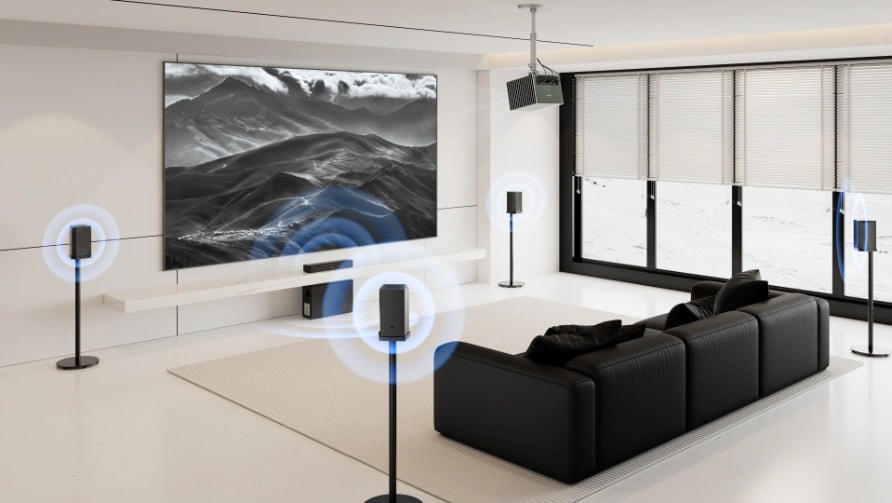
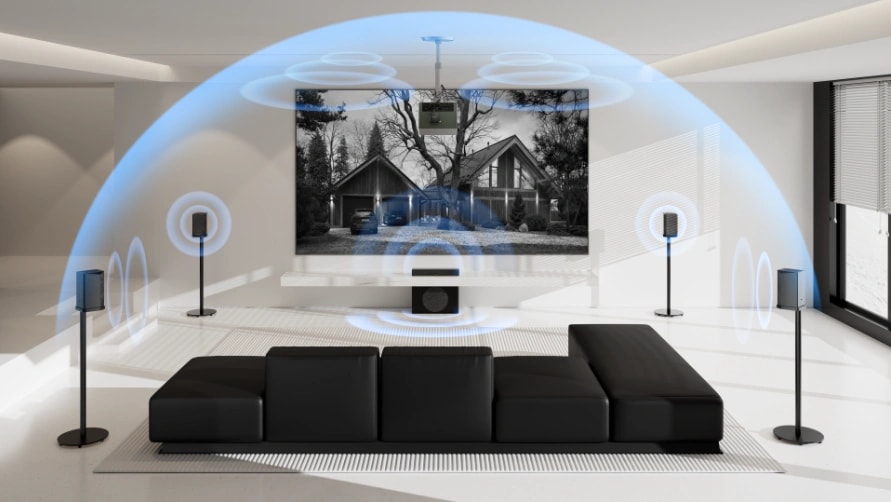
Two honest alternatives. If you want the last word in performance and enjoy the wiring, an AV receiver with passive speakers remains the reference standard — more boxes, more cables, more control. And if your objection to a bar is that it cannot truly surround you, dedicated wireless surround systems exist: our ThunderBeat speaker, for instance, connects to any projector's eARC port the same way a soundbar does, but spreads 4.1.2 or 5.1.2 channels of Dolby Atmos and DTS:X across the room with a sub-30-millisecond wireless link and no speaker cables at all.
A soundbar is the right answer for most rooms. It is just not the only one.
Final Thoughts
Match three things to your room and the decision makes itself: the channel configuration to the room size, the connection to where your sources live, and the placement to the screen — not the projector. If your projector is a smart one with eARC, like the AWOL Valerion Max, the simplest strong setup is also the best one: everything streams on the projector, one HDMI cable to the soundbar, and a wireless sub wherever the room wants it.
Frequently Asked Questions
Can you use a soundbar with a projector?
Yes — this is a solved problem. Confirm the projector has an HDMI ARC/eARC port (most 4K models made in the last several years do), plug the soundbar into it, and audio from every source, including the projector's own apps, routes to the bar. Optical and Bluetooth are the fallbacks if ARC is absent.
How do I connect a soundbar to a projector that has no HDMI ARC?
Use the projector's optical output if it has one — it carries clean Dolby Digital 5.1 and has no sync issues. If there is no optical either, a Bluetooth transmitter on the projector's 3.5mm headphone jack works, with the lip-sync tradeoff that Bluetooth always carries. In that case, prioritize a bar supporting a low-latency codec.
Do Bluetooth soundbars lag behind the picture with projectors?
Over standard Bluetooth, usually yes — delays of 150–250 milliseconds are common, which shows up as voices trailing lips. Low-latency codecs such as aptX LL bring this down to around 40 milliseconds, and some projectors let you apply a manual audio delay. For anything you watch critically, eARC or optical avoids the question entirely.
What size soundbar should you get for a large projector screen?
A good rule of thumb is a bar at least half the width of your screen — with a 120-inch image, that means a bar in the 40-inch-and-up class. Narrower bars still work, but dialogue imaging starts to feel small relative to the picture, and very wide bars under a modest screen look and sound unbalanced. Height matters more than width for ultra-short-throw setups, where the bar must stay below the projection beam.
Projector for an Apartment: What to Know Before You Buy
September 30, 2026
Learn how to choose a projector for an apartment, including throw distance, screen size, brightness, placement, renter-friendly setup, and projector vs. TV.